6. ii) Unofficial Connection
Please refer to this video tutorial:
Step 1: Open Waapy
Go to:
Connection→ Add Connection
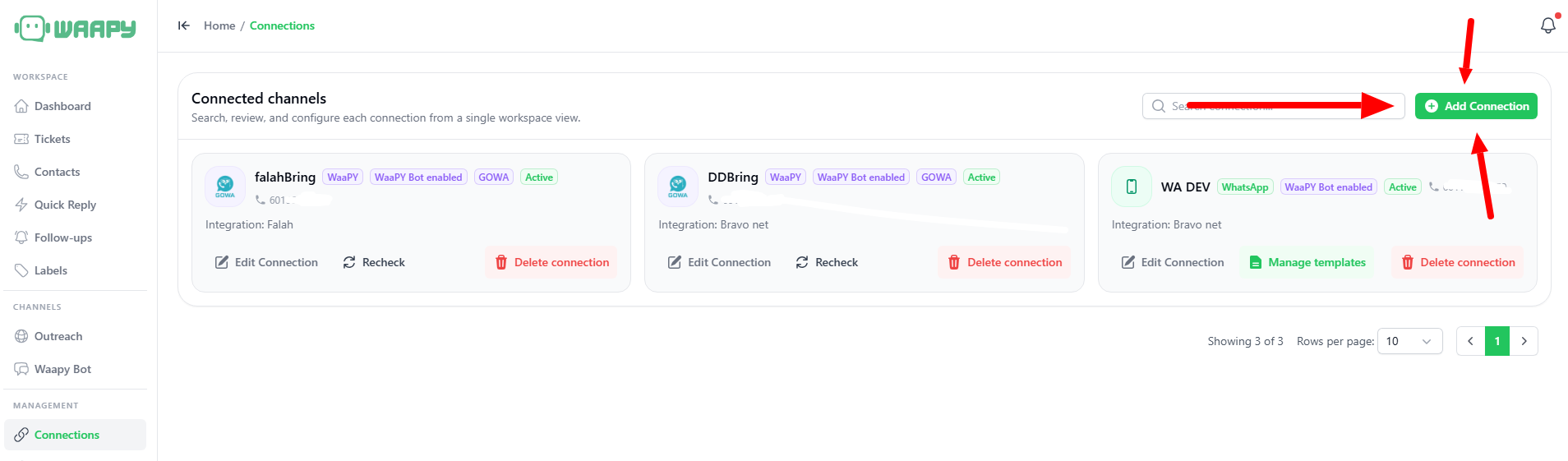
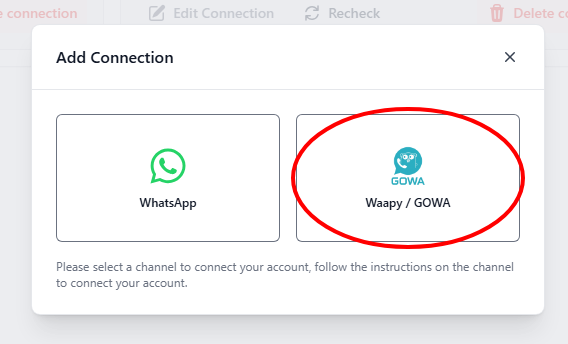
Select Waapy/GOWA
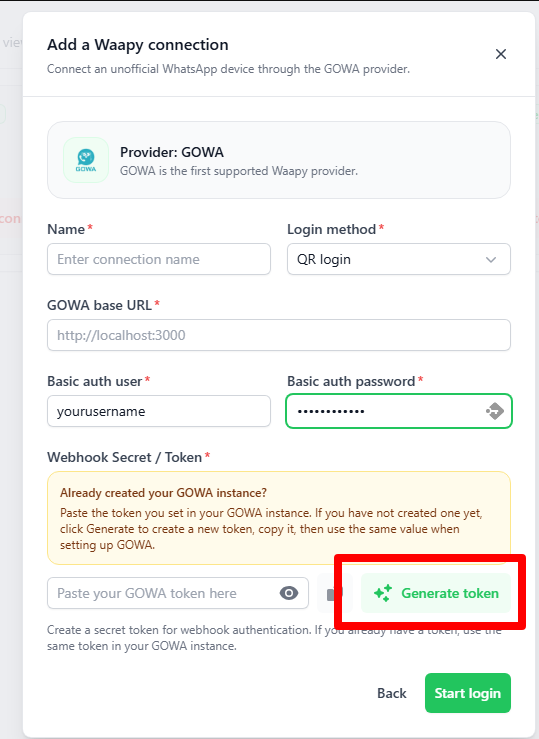
Step 2: Generate Token
- Fill in the Connection Name
- Login method, QR Login
- Leave GOWA Base URL empty for now
- For basic auth user, these are the credentials for GOWA, you can enter in your email/username, and password. keep this somewhere safe
- Click Generate Token.
- Copy the generated token somewhere safe.
- You will need this later.
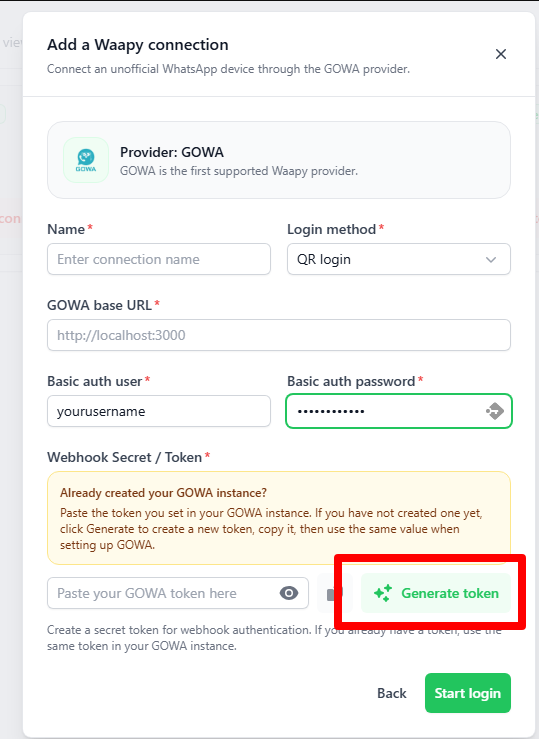
- Leave it as it is, Dont click Start login FOR NOW
Step 3: Open Dashdeer
- Login to DashDeer (https://dashdeer.com/)
If you havent registered DashDeer, Please register and let us know the email registered.
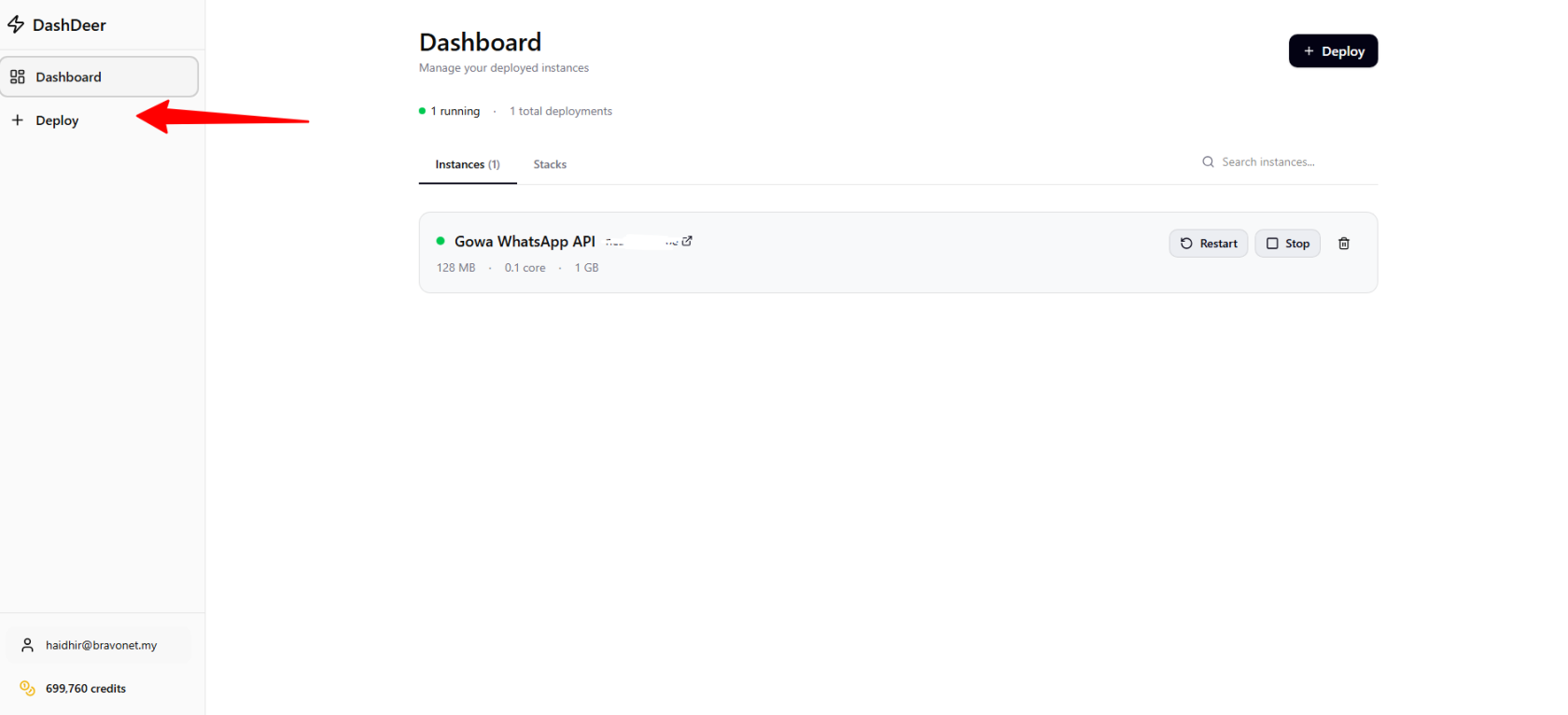
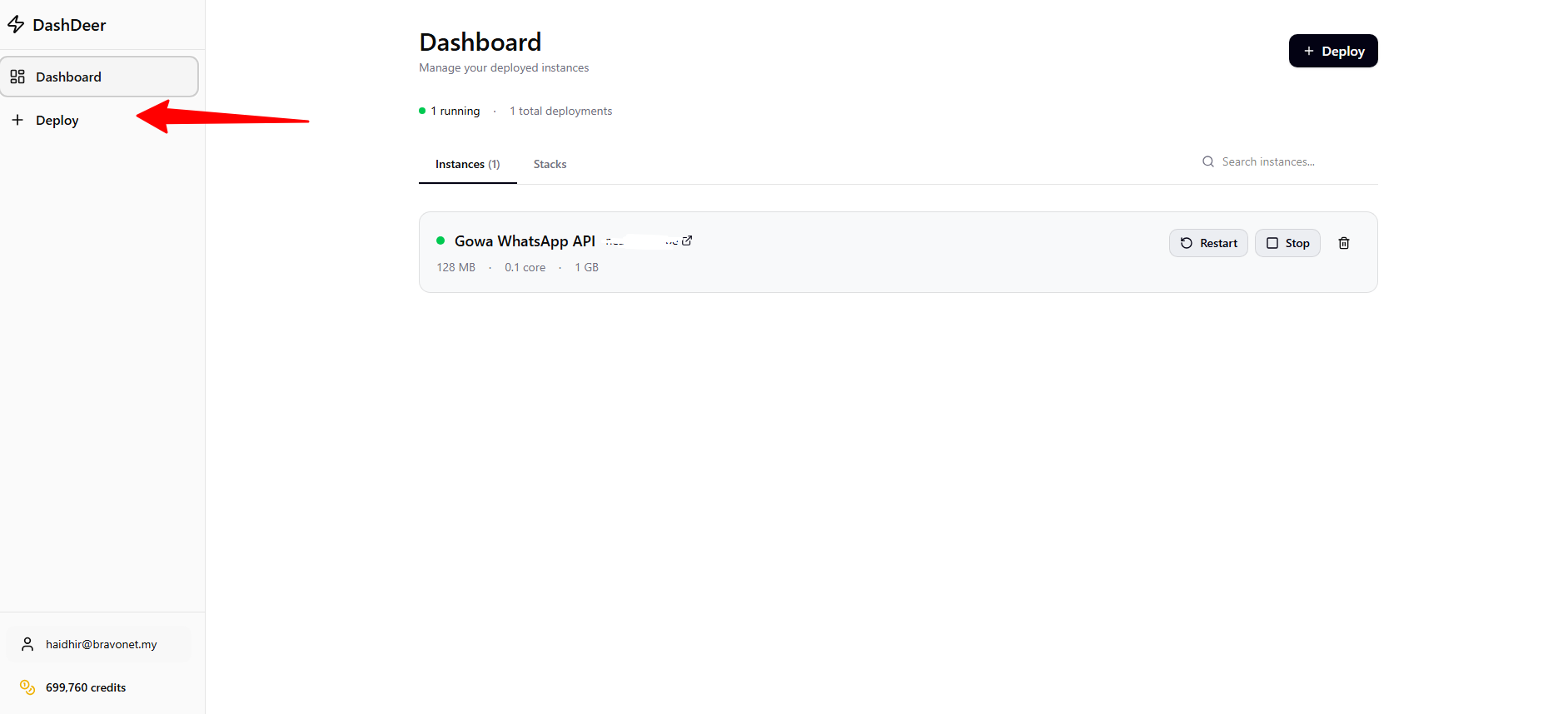
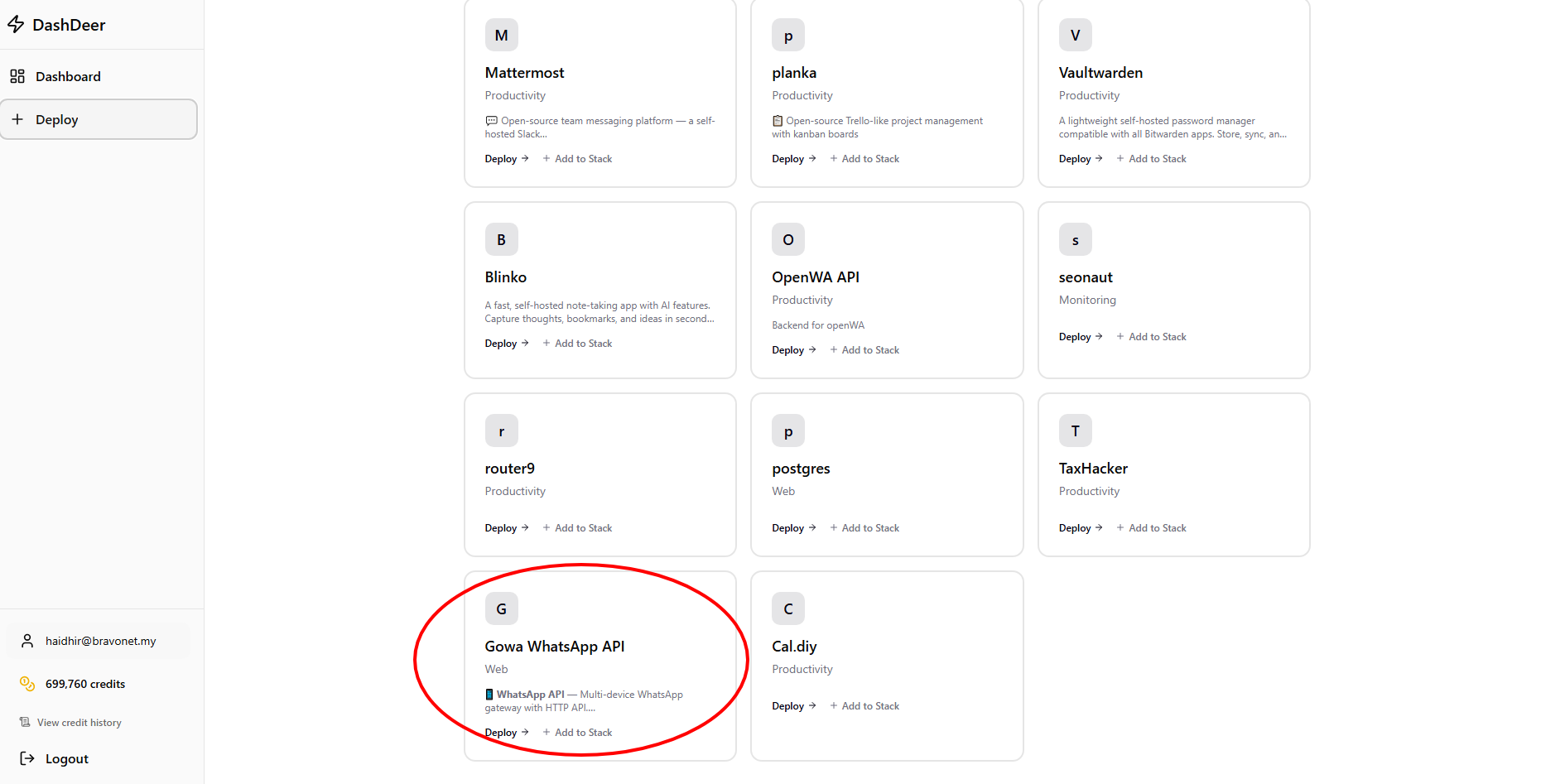
- Click Deploy
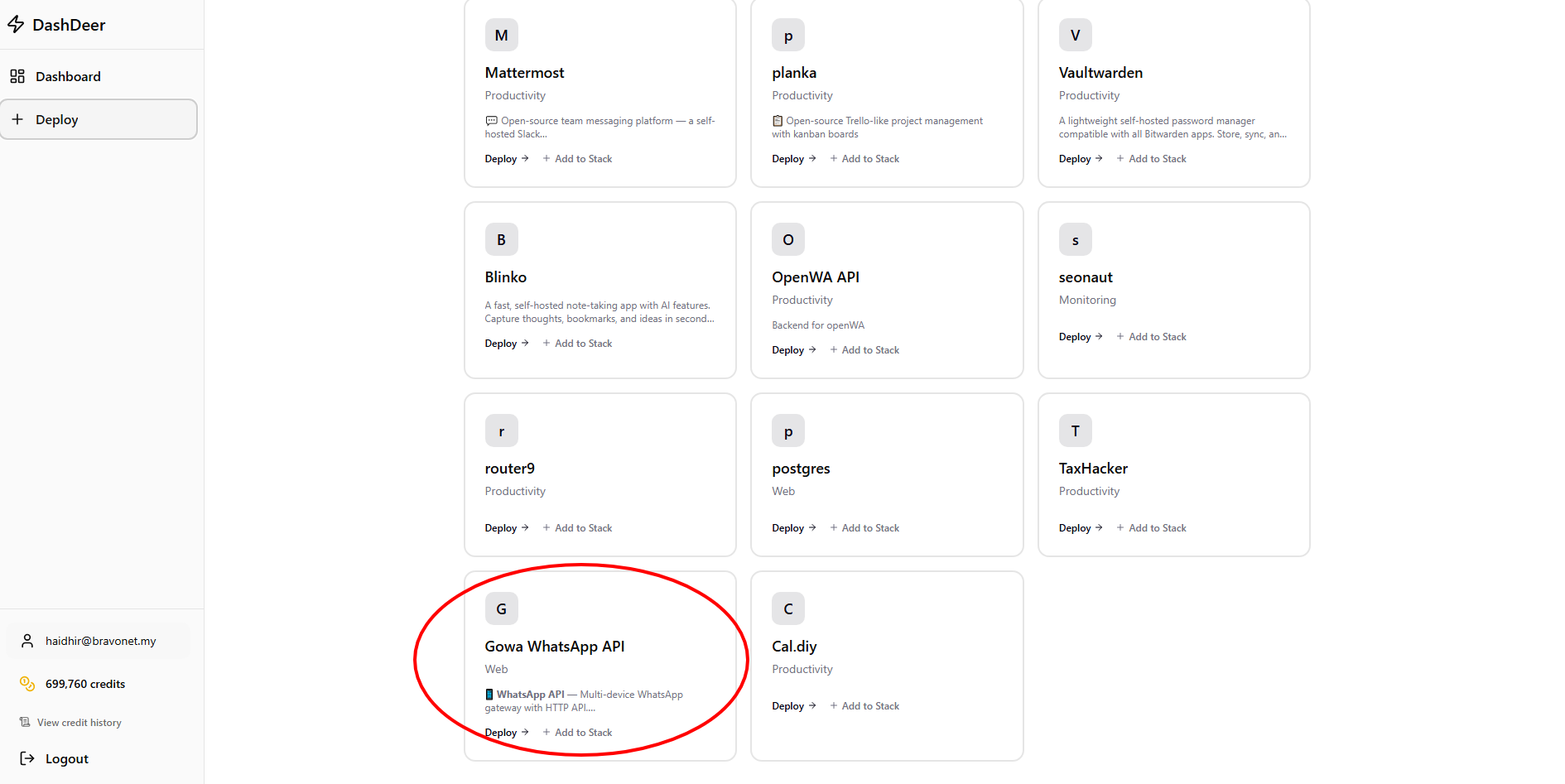
- Scroll Down until u see GOWA Whatsapp API and Click it
- This configuration menu will popup
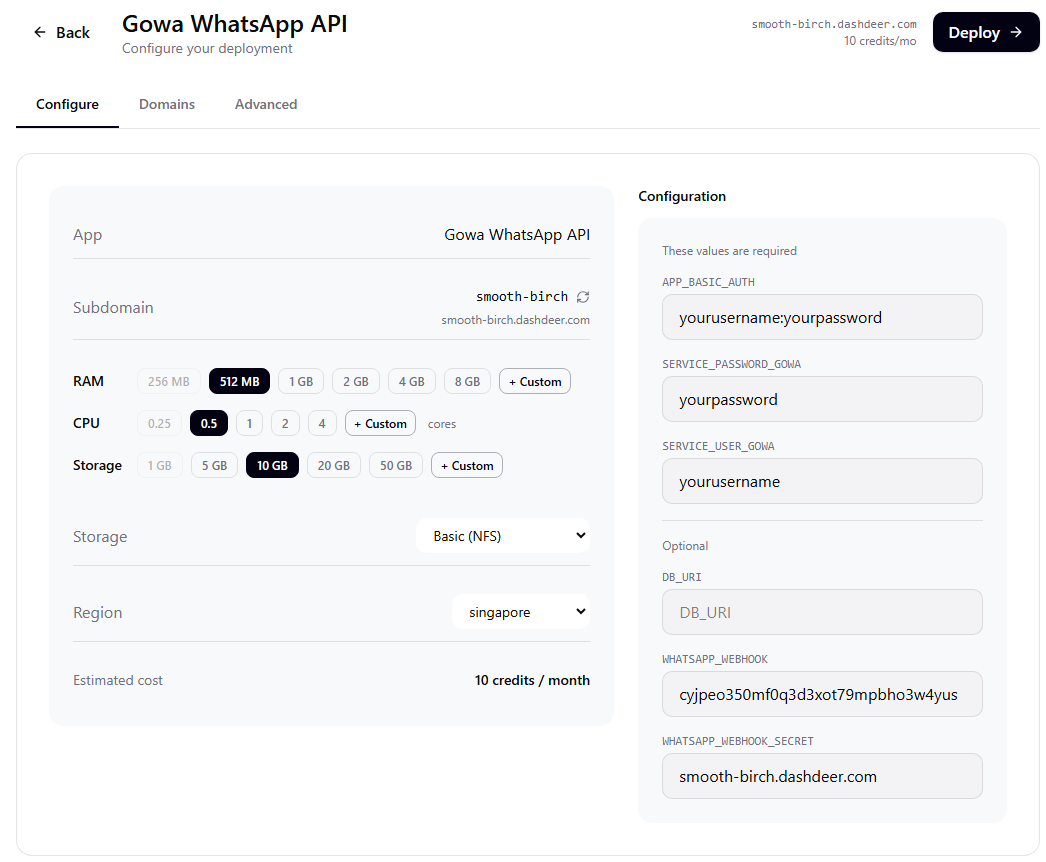
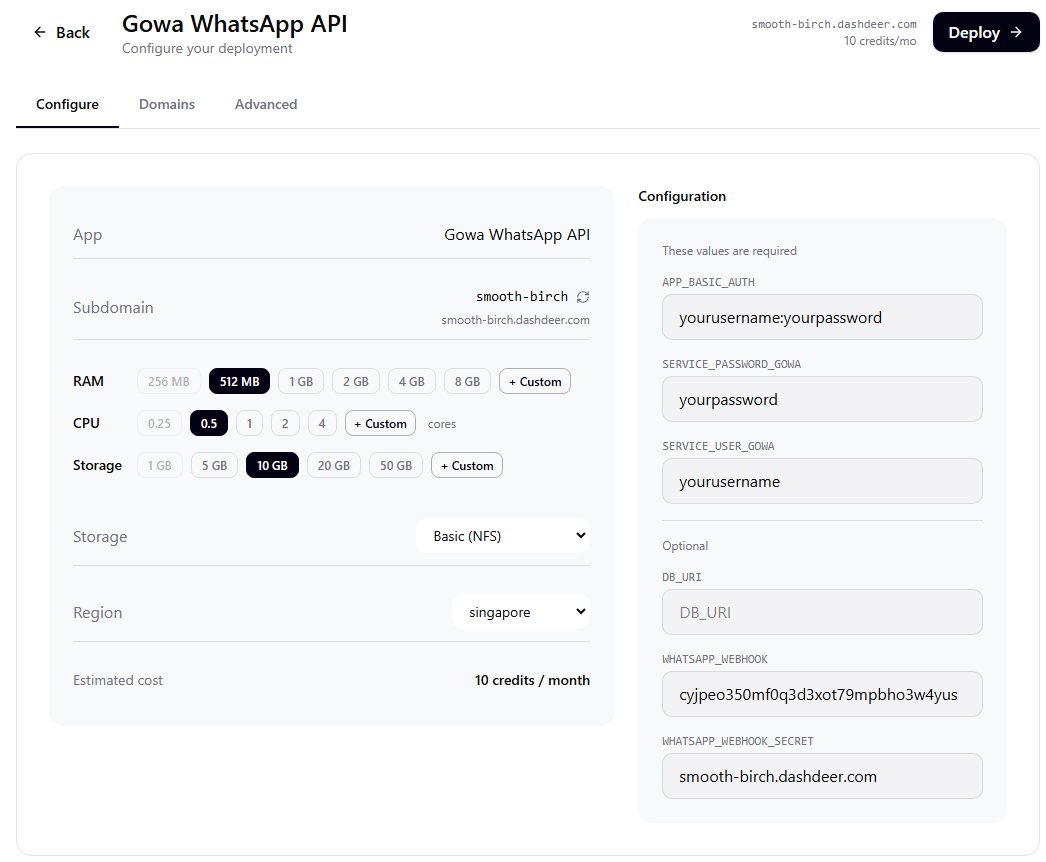
5. For specification like RAM, CPU, and Storage can set the value as shown in screenshot below.
- RAM : 512 MB
- CPU : 1
- Storage : 5-10GB
- Region; Based on your closest location
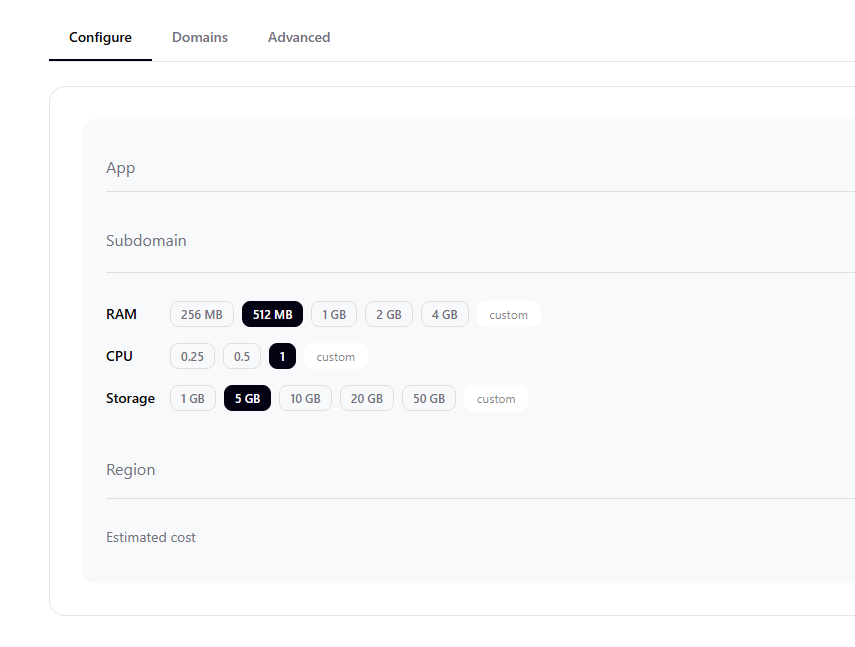
For this Specification type can supports up to 5 connections/sessions. If you need more, then please adjust the RAM and CPU usage.
Step 4: Fill Environment Variables
1. APP_BASIC_AUTH
Create your own username and password. Follow the exact format, you need " : " in between your username and password for APP_BASIC_AUTH
Example:
yourusername:yourpassword
2. SERVICE_USER_GOWA
Use the same username.
Example: yourusername
3. SERVICE_PASSWORD_GOWA\
Use the same password.
Example: yourpassword
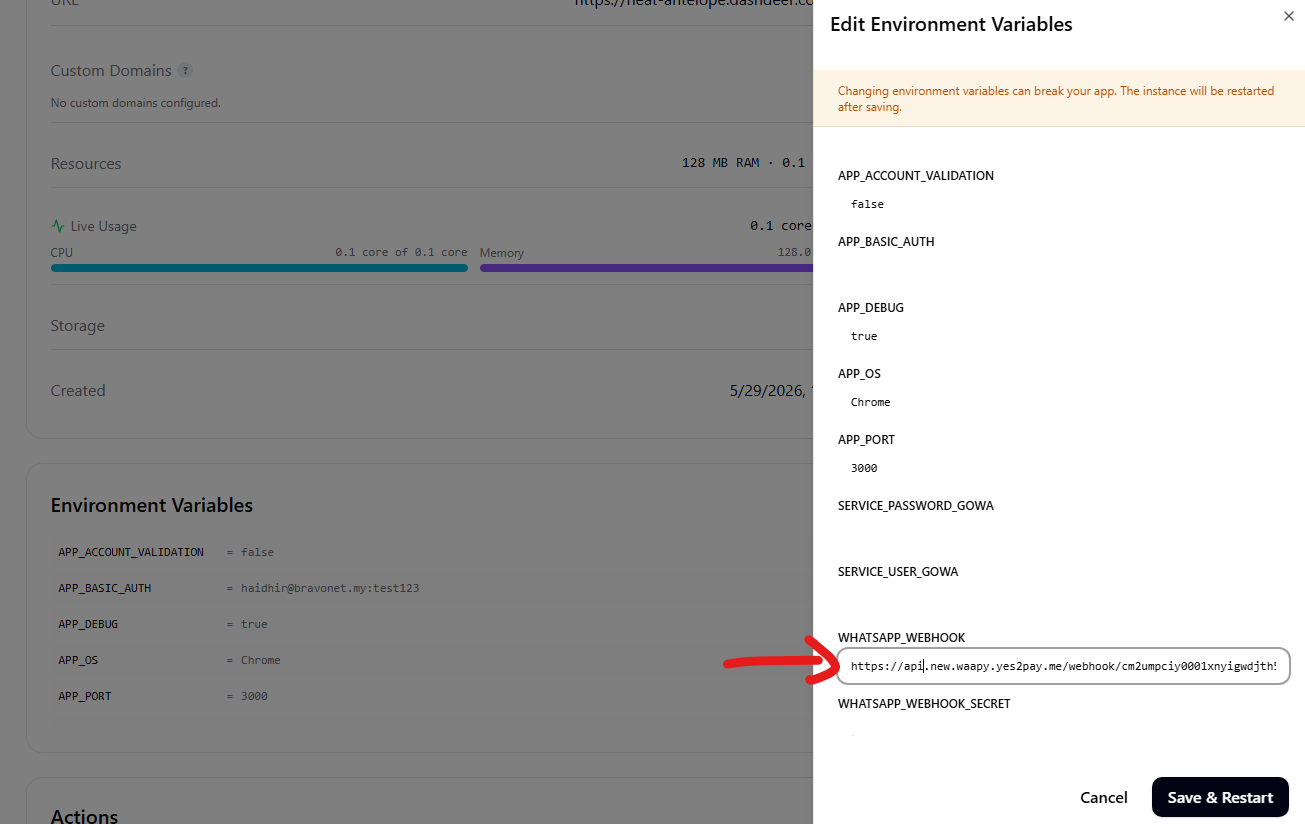
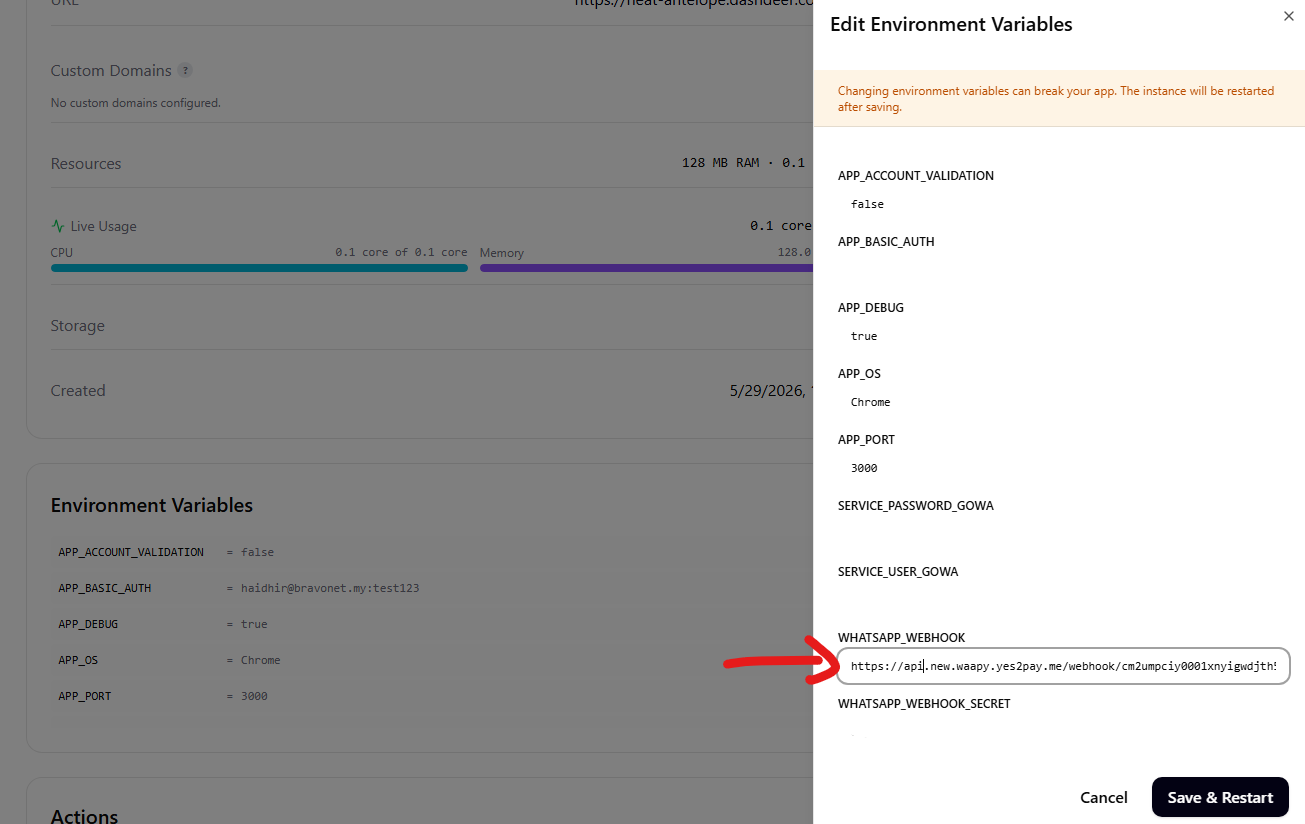
4. WHATSAPP_WEBHOOK
Take the SUBDOMAIN Provided here first, DO not leave this empty for now, we will edit this later
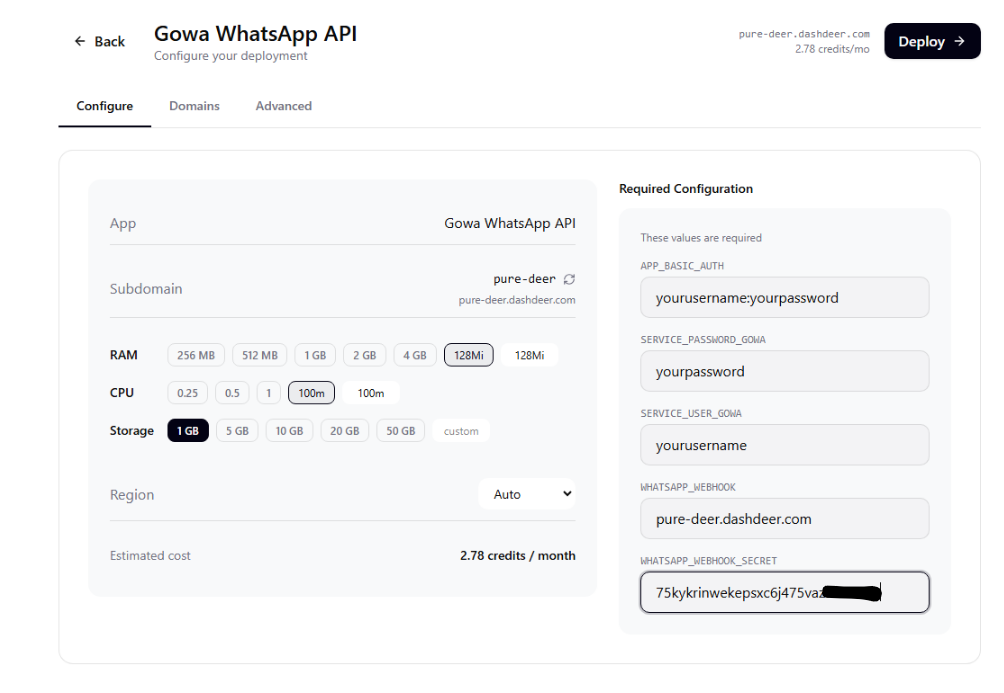
5. WHATSAPP_WEBHOOK_SECRET
Paste the token generated from Waapy. See Step 2 for more info
Example: 75kykrinwekepsxc6j475vazasosdsdw
Step 5: Deploy
Click Deploy.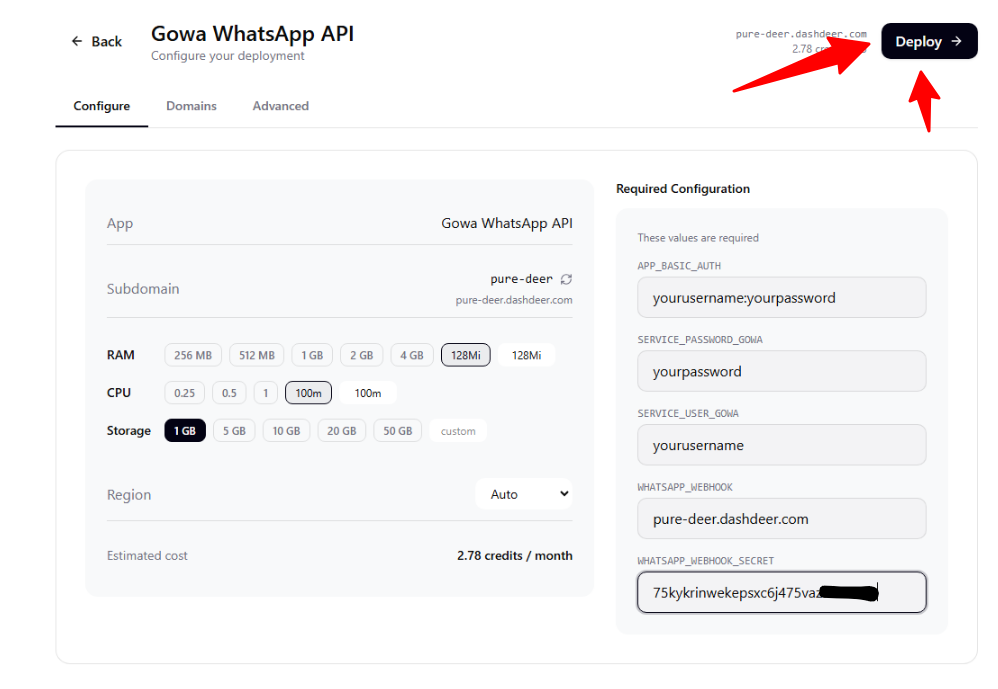
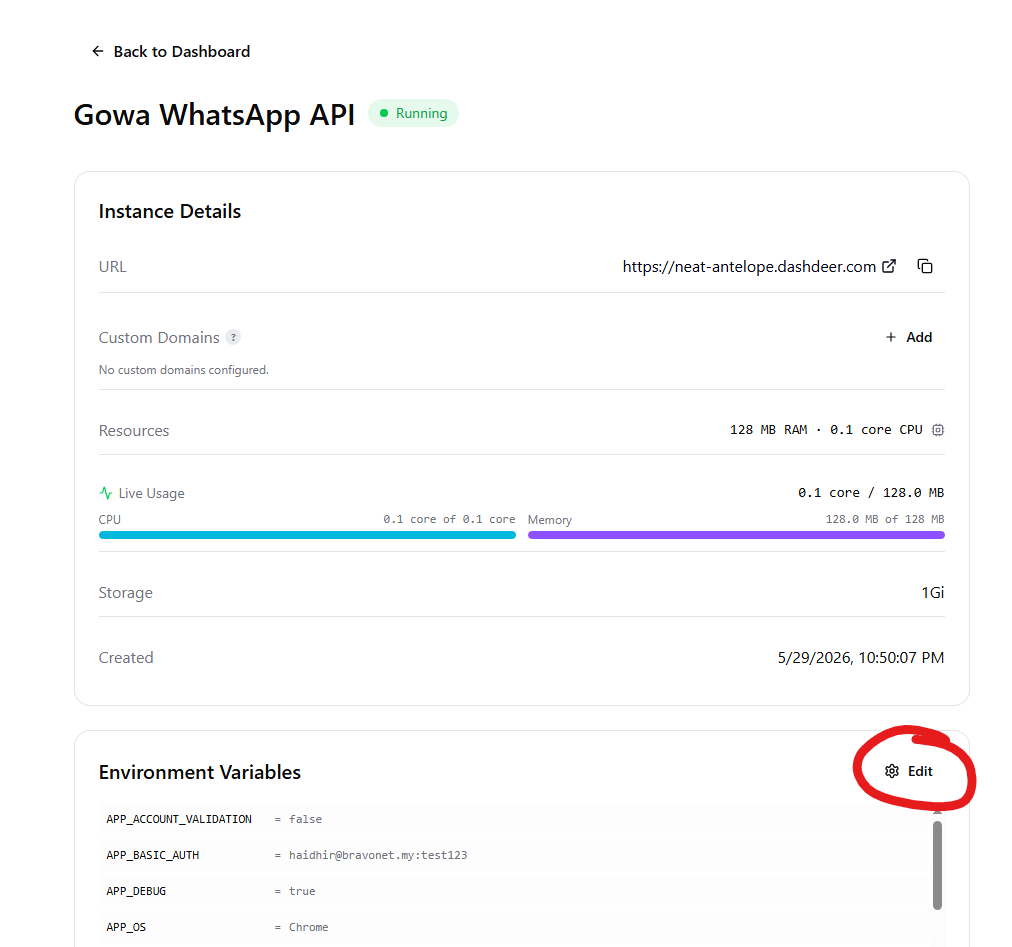
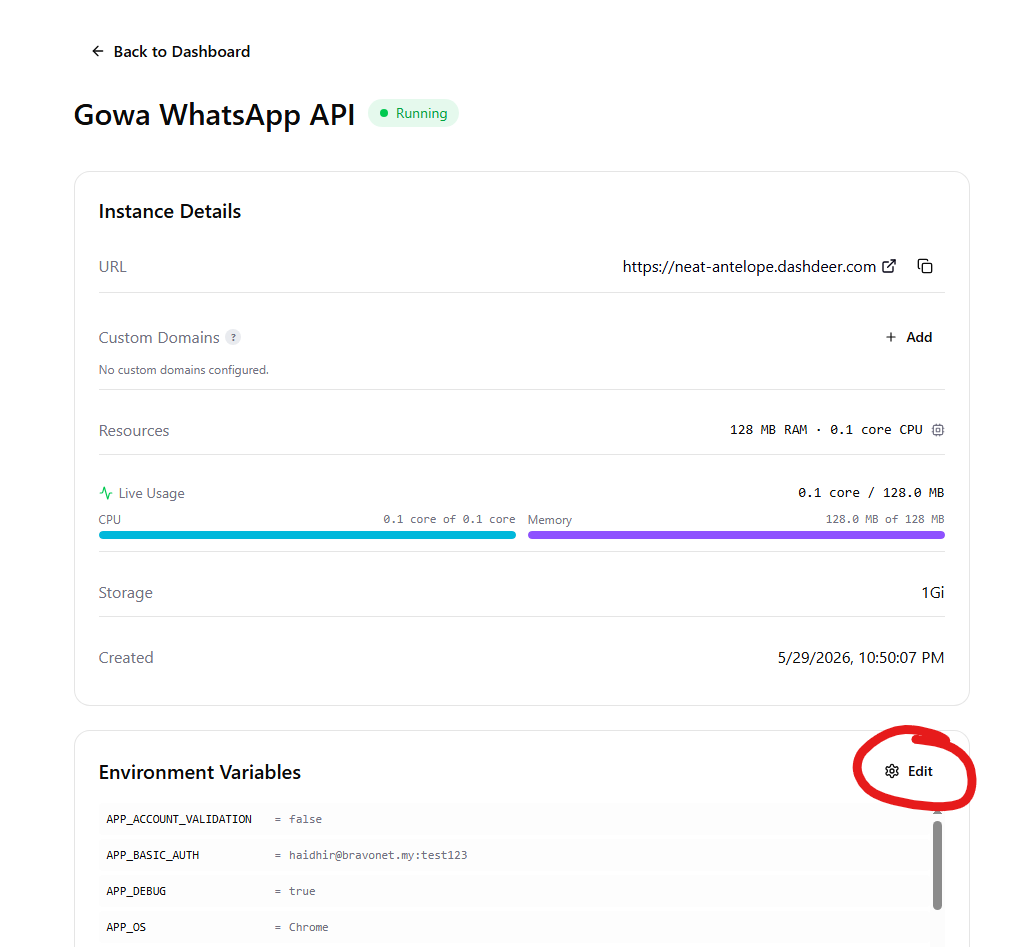
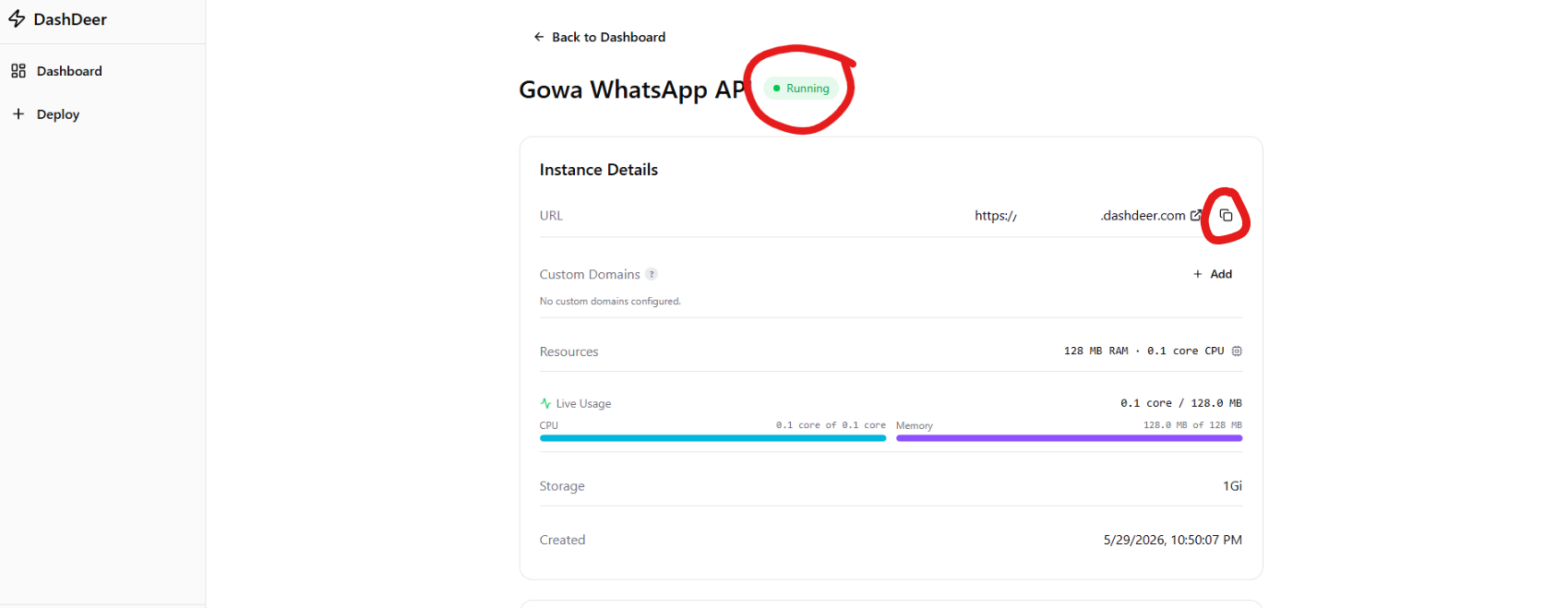
- Wait until the deployment is running. Hit refresh once it has hit around 30 seconds if it still hasnt say "Running".
- COPY the URL by clicking the small button
- KEEP this page OPEN
Step 6: Return to Waapy
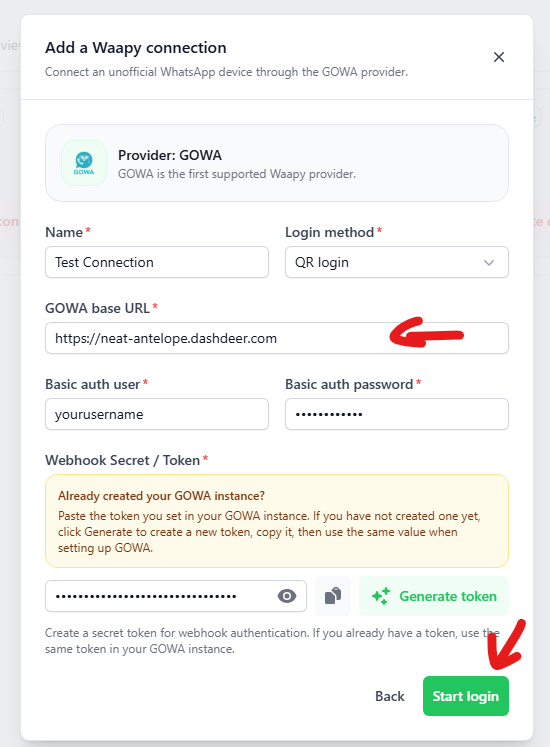
- Paste in your URL you have deployed at GOWA Base URL
- After that click Start Login
Step 7: QR Login
- A QR Should pop for you to scan on WhatsApp, scan it.
- COPY The WEBHOOK URL, Keep this copied, Open back your DashDeer (See Step 5)
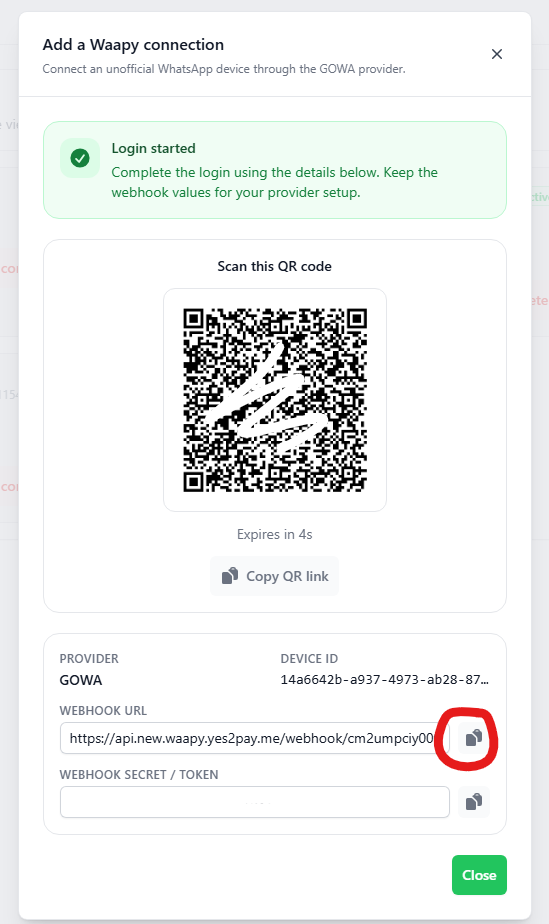
Step 8: Go back to DashDeer
- Click the edit button
- Paste in your WEBHOOK URL Here
- After that Click Save and Restart