
1. Dashboard
Overview :

- Total Contacts :
- Shows the total number of contacts in your account (e.g., 240).
- The smaller text below indicates how many were added last month (e.g., 200 from last month). - Total Campaigns :
- Displays the total number of campaigns created (e.g., 17).
- The smaller text shows how many were created last month (e.g., 13 from last month). - On-going Campaigns
- Shows the number of campaigns currently active/sending (e.g., 0).
- "Active now" means campaigns are running at this moment.
Quick Tips:
Refresh the page to update numbers in real-time.
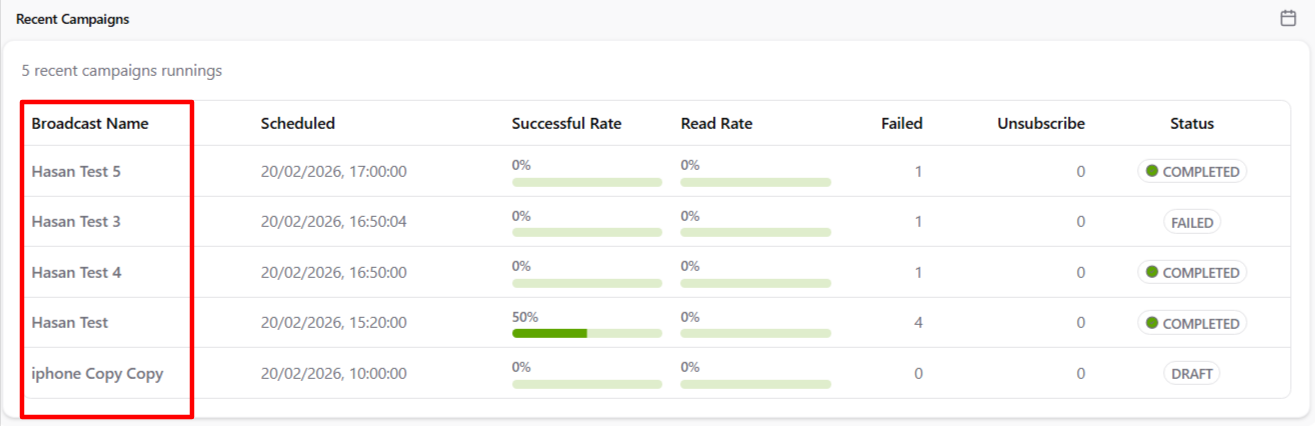
- Broadcast Name
The name you gave to the campaign (e.g., "Hasan Test 5", "iphone Copy Copy").
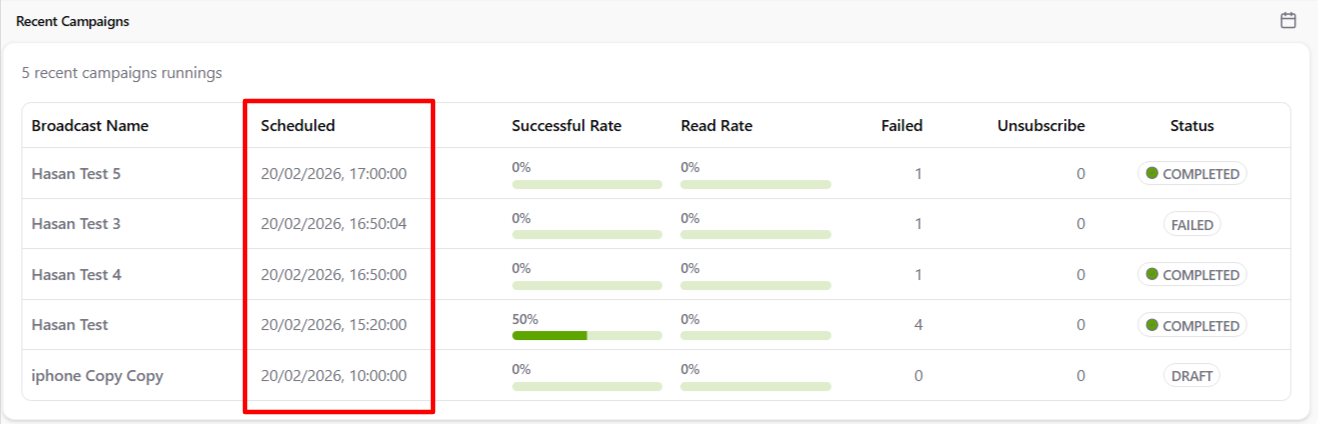
- Scheduled
The date and time the campaign was set to start sending (e.g., 20/02/2026, 17:00:00).
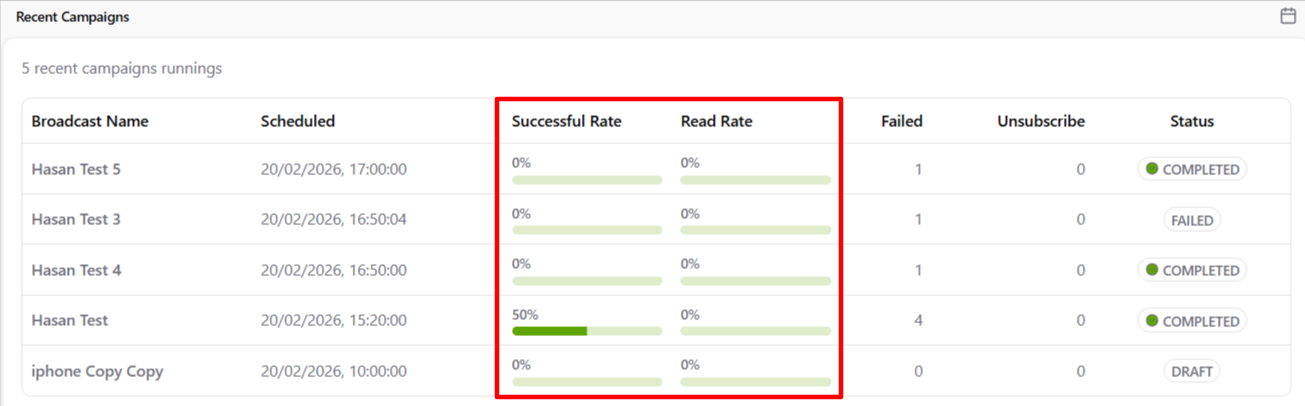
- Successful Rate
Percentage of messages successfully delivered (e.g., 50% or 0%). Green bar shows progress visually. - Read Rate
Percentage of delivered messages that were read/opened by recipients (often 0% if no read receipts yet).
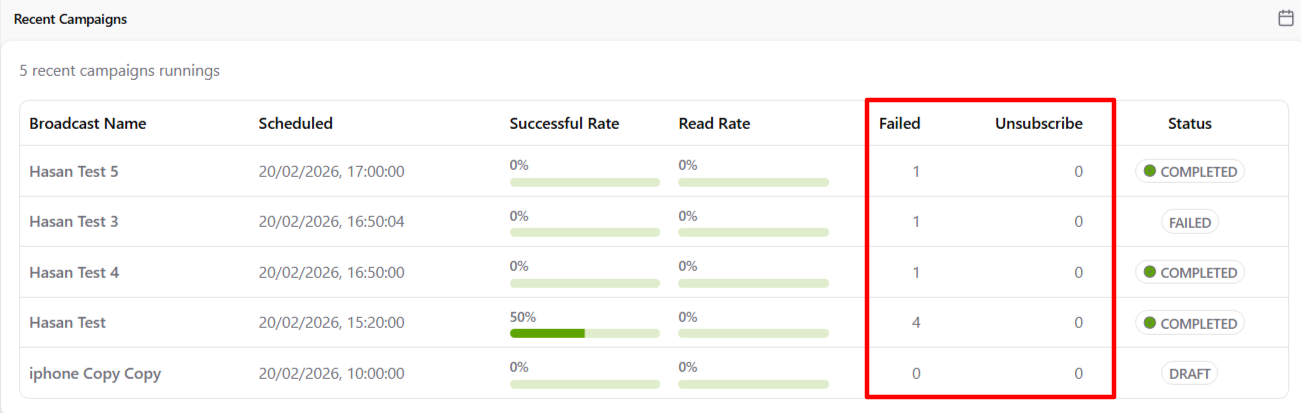
- Failed
- Number of messages that failed to send (e.g., 1 or 4).
- Common reasons: invalid phone numbers, rate limits, or connection issues. - Unsubscribe
Number of recipients who unsubscribed/opted out after receiving the message (usually 0 unless someone clicked unsubscribe link).
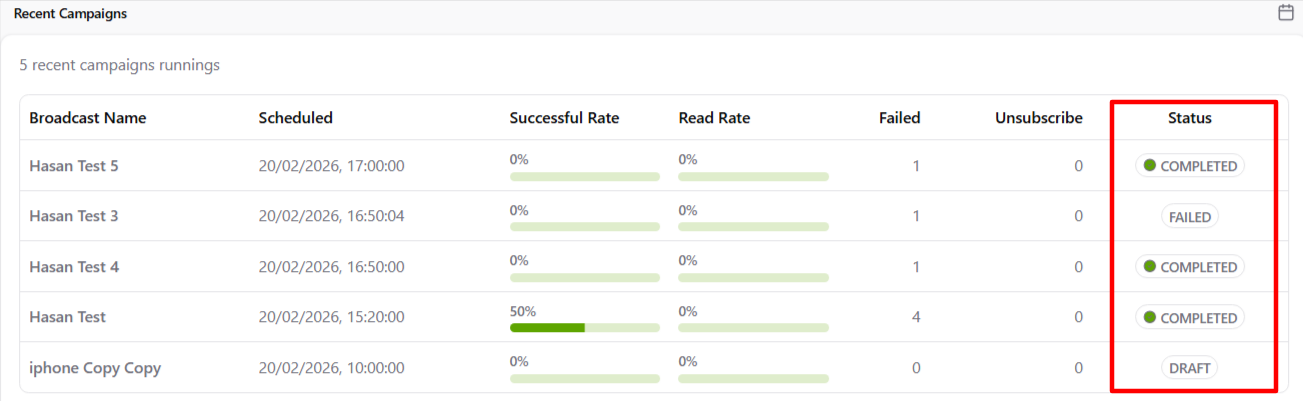
- Status
Current state of the campaign :
- DRAFT: Not yet scheduled or sent
- COMPLETED: Finished sending (green dot)
- FAILED: Sending stopped due to error