5. Labels
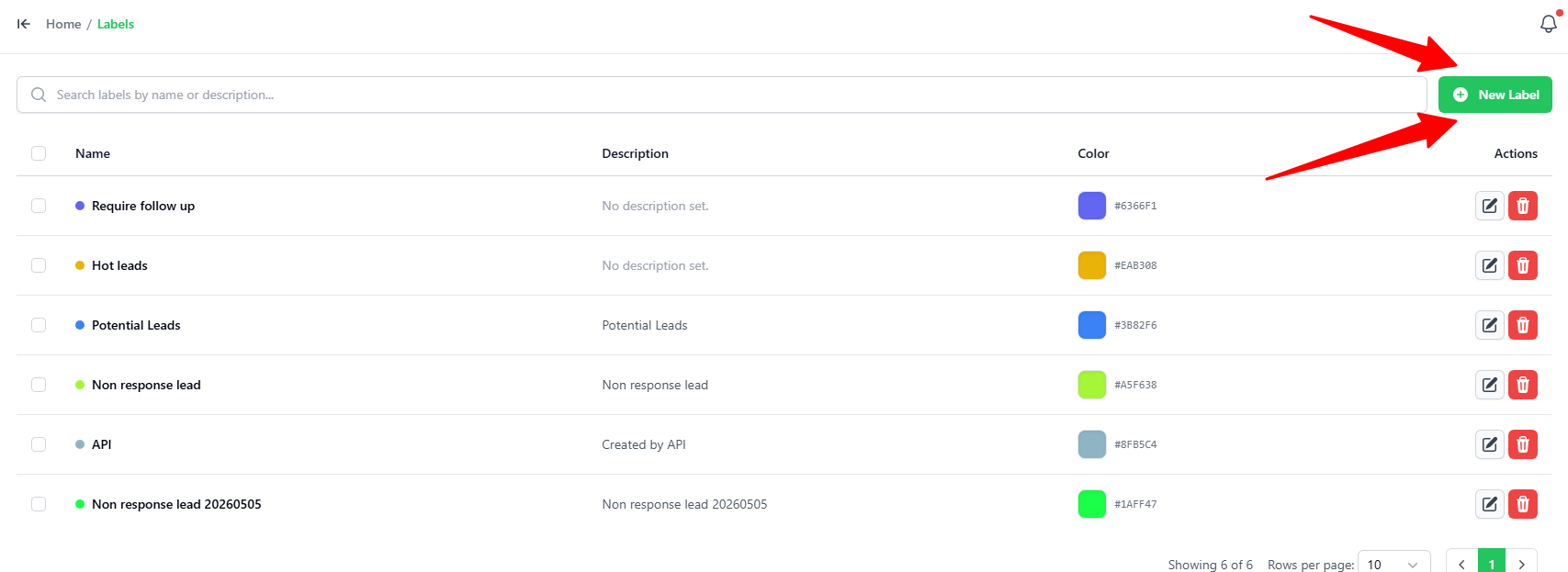
You1.canHowaddto Create alabelNewinLabelGo to the Labels tab.
To add a new label, click onClick the“ADDgreenLABEL”+ New Label buttononin the top-right corner.Key-in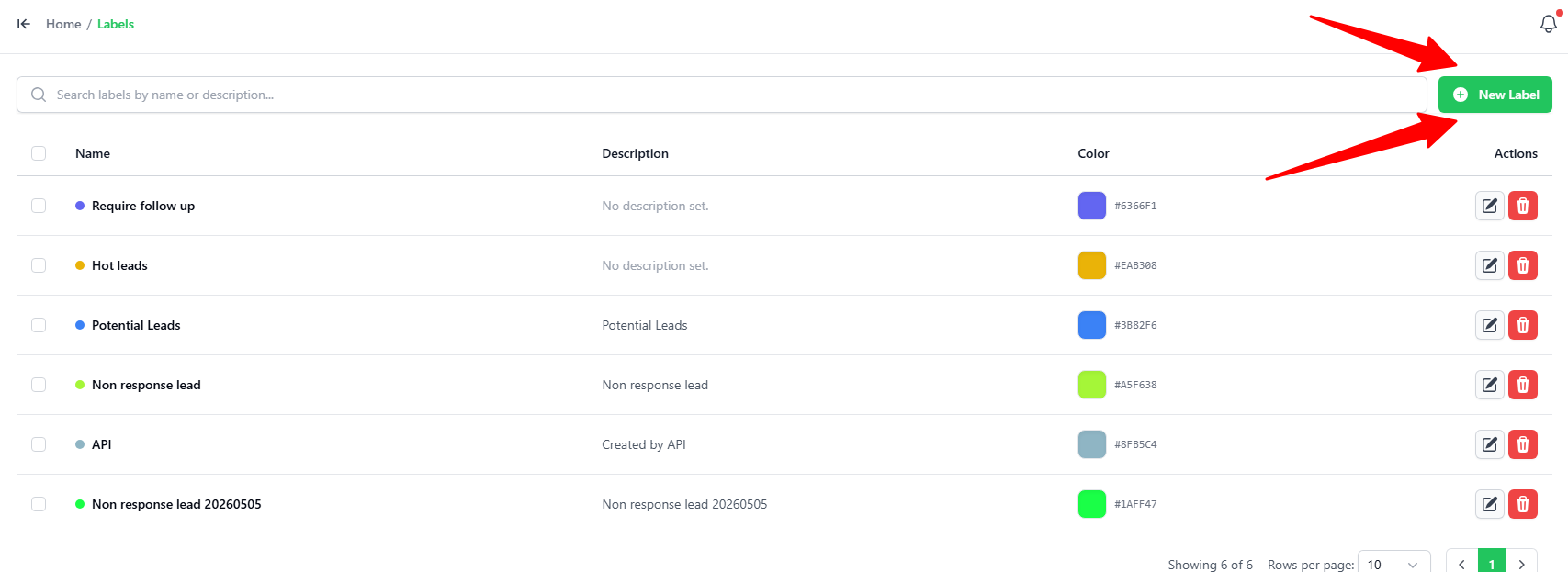
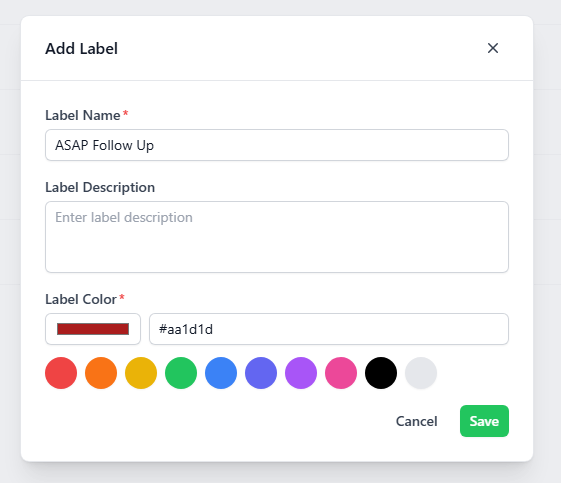
2. Setting Up the
name,LabelIn
descriptiontheandAddpickLabel popup, enter the following details:- Label Name: Type a short name for your label (e.g., "ASAP Follow Up").
- Label Description: Type a brief note explaining what the label is used for (optional).
- Label Color: Pick a color
usingfor your label. You can:- Click one of the pre-set color circles.
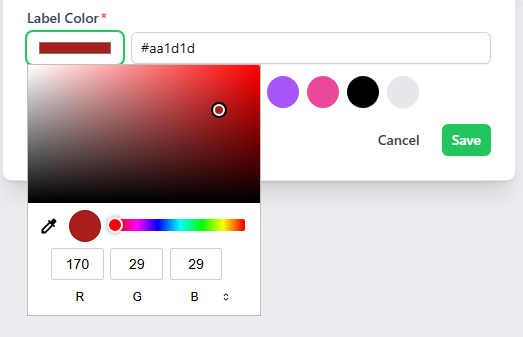
- Click the color
pickerboxforon thenewleft to open the color picker and select a custom color (using hex code or RGB sliders).
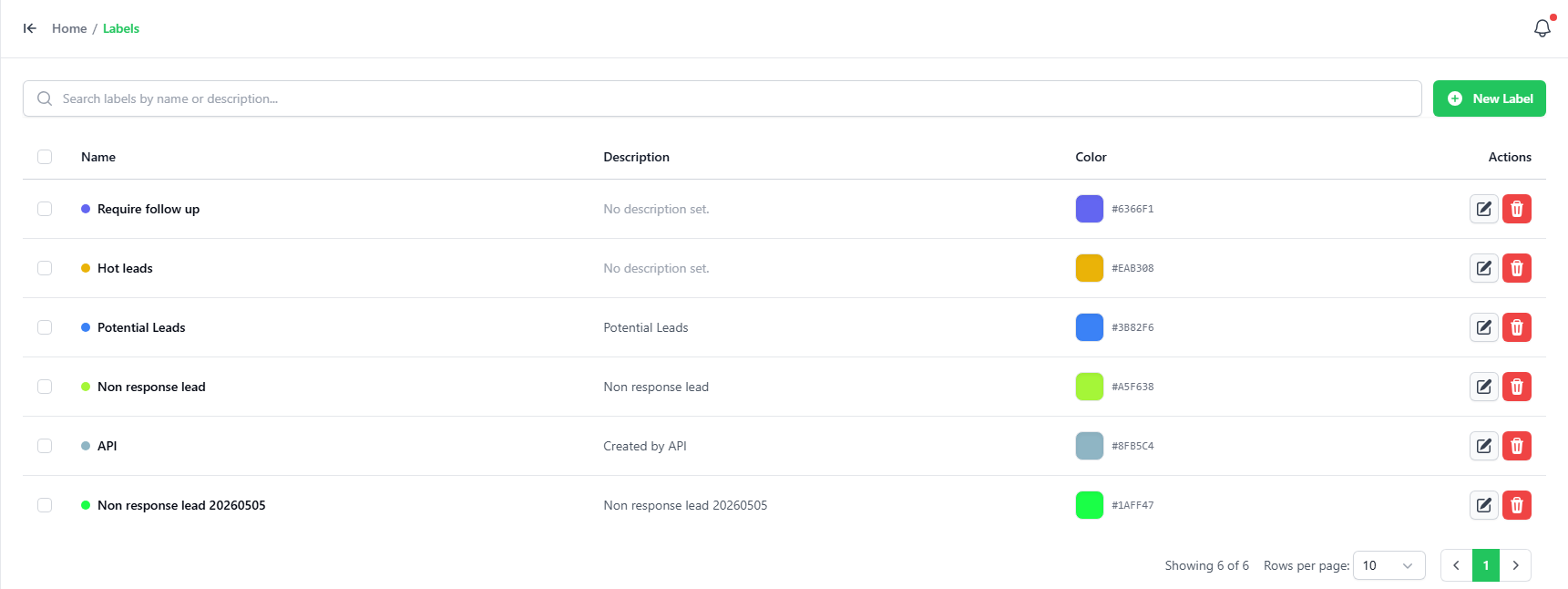
- Click the green Save button to create your label.