Skip to main content
BNS HandBook
View All
Search
Books
Log in
Info
Content
5. Labels
Page Revisions
Revision #798 Changes
5. Labels
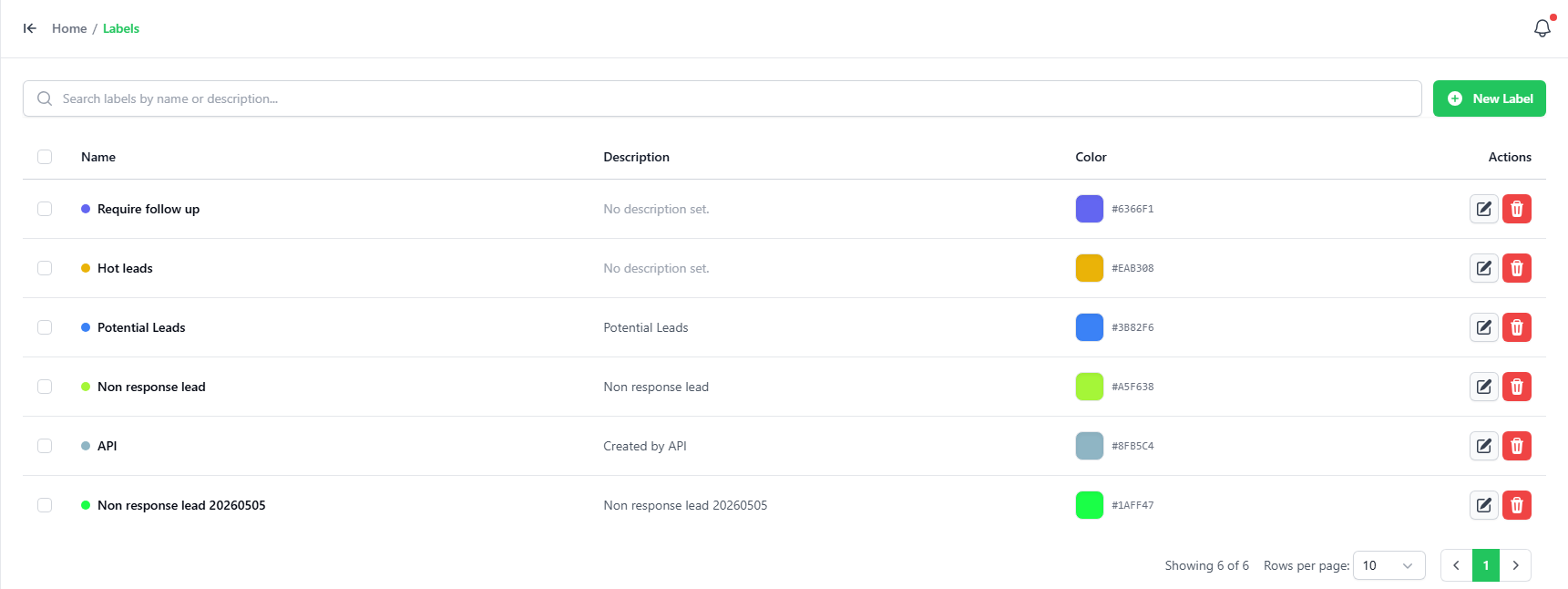
You can add a label in the Labels tab.
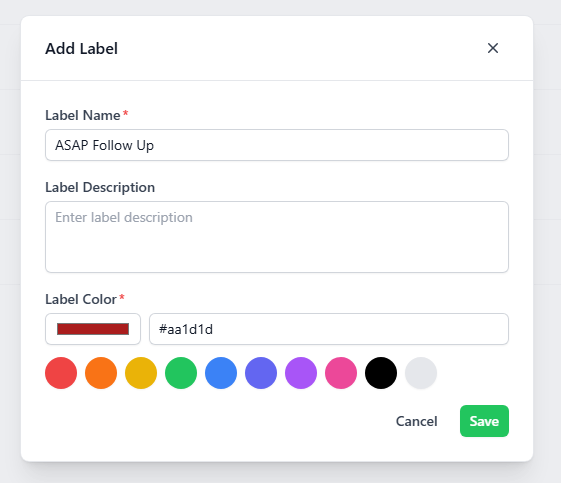
To add a new label, click on the “ADD LABEL” button on the top-right corner.
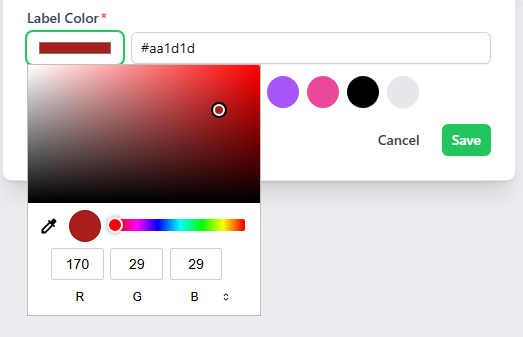
Key-in the name, description and pick a color using the color picker for the new label.
Back to top