
6. Quick Answer
This feature is useful if you would like to preset some common replies that a member of staff can use when handling a ticket. This can be used to standardize commonly used replies such as asking customer to wait while an appointment is being made, thank you message after a ticket is closed or to provide standard advise like the need for a new skin test after 6 months, etc.
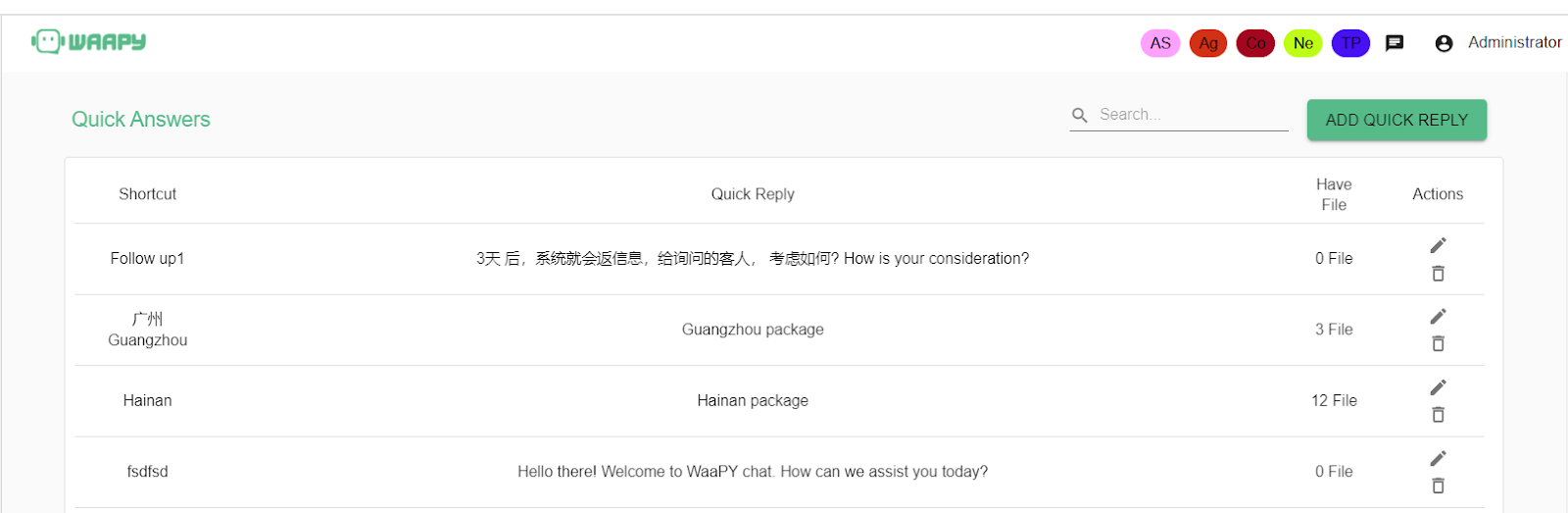
- To add new Quick Answer, click on the “ADD QUICK REPLY” button on the top right corner.
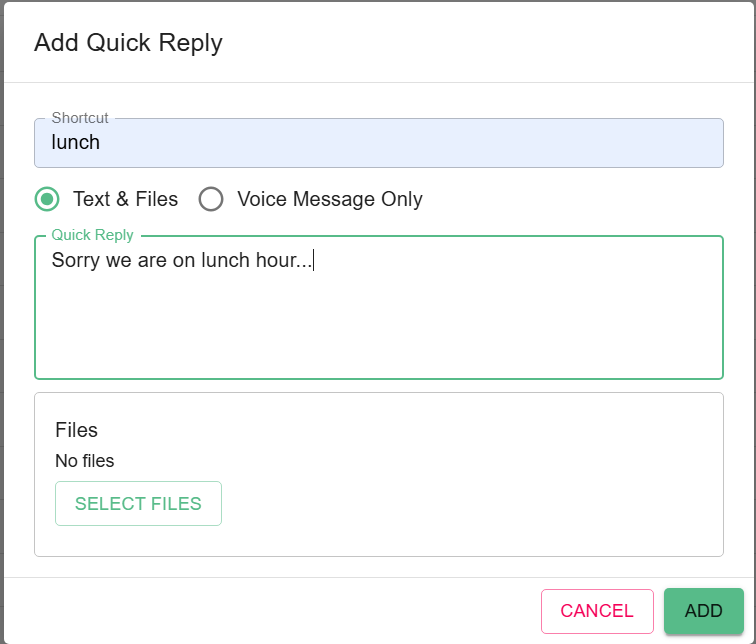
- Enter the keywords and the corresponding message and click “ADD”. You can attach the files on it too.
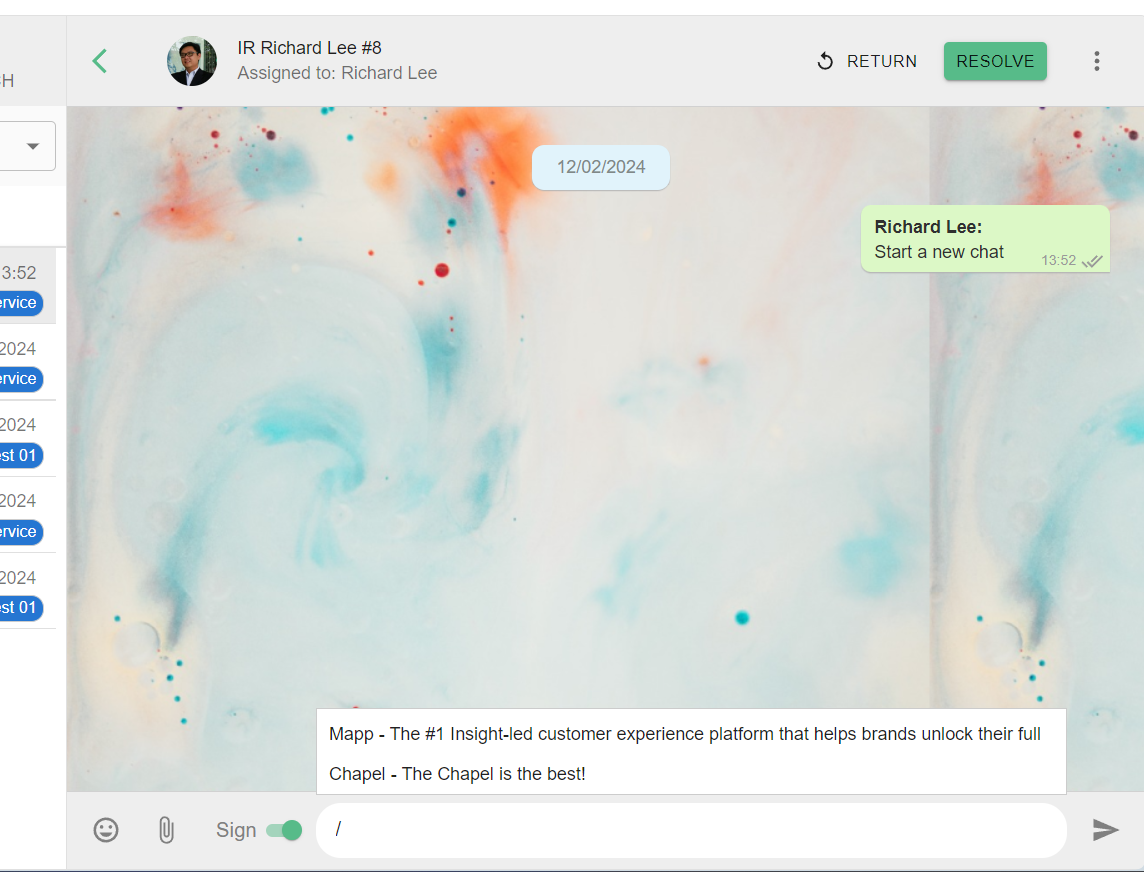
- To use QUICK ANSWER, just type “/” on the chat windows to display the list of available quick answer and choose the desired quick answer to add to the chat.
# Or you may refer this video -