
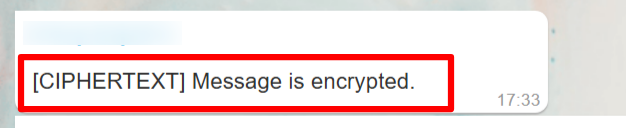
[CIPHERTEXT] Message Displayed in WaaPY
Overview
This document describes the causes, behavior, and resolution steps when messages appear as [CIPHERTEXT] Message is encrypted in WaaPY.
The goal is to standardize troubleshooting and recovery steps across all WaaPY instances.
This document acts as a reference guide for support, operations, and technical teams.
Problem Statement
Issue: Messages in WaaPY appear as "[CIPHERTEXT] Message is encrypted" instead of the actual message content.
Why This Happens
Ciphertext issues can occur for several reasons:
- Recent WhatsApp updates that change message encryption behavior
- End-to-end encrypted messages, which prevent WaaPY from capturing message content directly
On WhatsApp Web, these messages usually appear in a similar encrypted or restricted format.
Resolution Strategy
The resolution follows a structured flow to ensure consistency and completeness.
1. Version Verification (Mandatory)
Ensure the client’s WaaPY instance is running the minimum required versions:
- Interface Version: 1.7.0 or later
- Engine Version: 1.9.0 or later
Steps:
- Go to Settings in WaaPY
- Verify the current versions
- If the instance is not on the latest version, inform the internal team to perform an update
Updates must be completed before proceeding with any other steps.
2. Connection Reset (Post-Update)
Once the instance is updated:
3. WhatsApp Device Sync Requirement
While WaaPY is generating a new QR code:
- Ensure the WhatsApp mobile app is turned on and active
- This is required for message re-synchronization and encryption key exchange
4. WhatsApp Web Verification
- Check WhatsApp Web to identify the specific message causing the ciphertext issue
- Messages that appear different from known ciphertext may still be able to sync into WaaPY
This step helps determine whether the issue is message-specific or session-related.
Message Resync Guidelines
Personal Chats
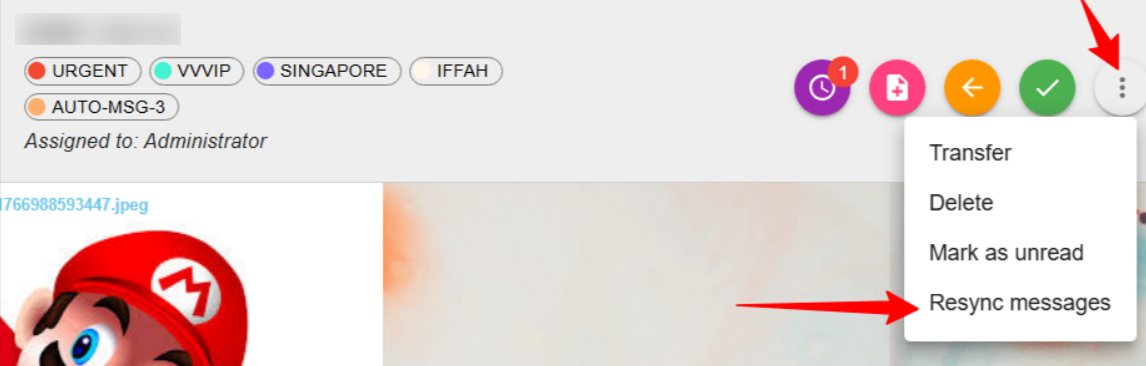
- Click the three-dot menu in the chat
- Select Resync Messages
- You can resync messages from up to 7 days back
Group Chats
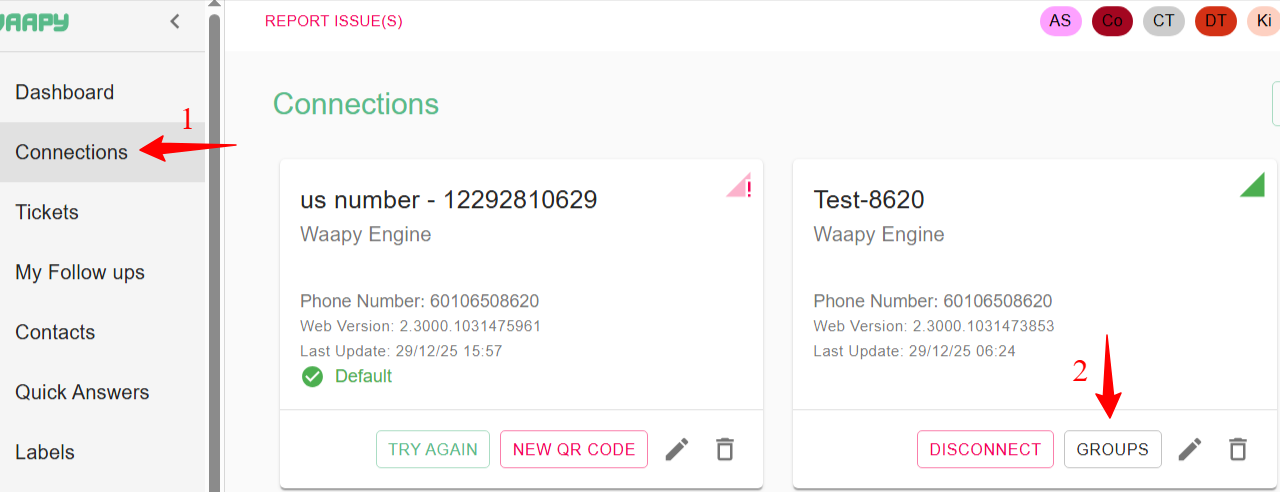
- Go to Connections
- Click on Groups
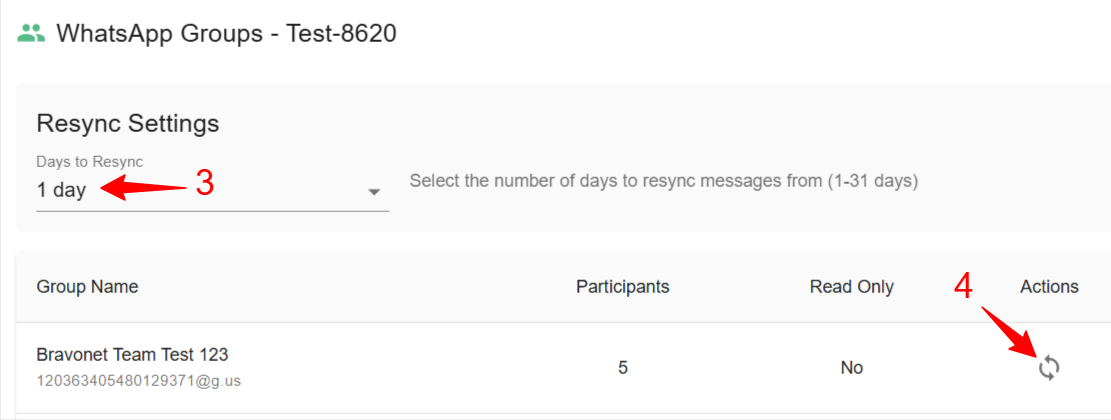
- Select a resync range of up to 31 days
- Click on icon on Actions to resync the message
Key Notes
- Ciphertext issues are not always system bugs; many are caused by WhatsApp-side encryption changes
- Updating and reconnecting the session resolves most cases
- Always verify behavior on WhatsApp Web as part of diagnosis