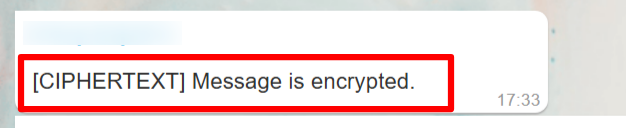
[CIPHERTEXT] Message Displayed in WaaPY
Overview
This document describes the causes, behavior, and resolution steps when messages appear as [CIPHERTEXT] Message is encrypted in WaaPY.
The goal is to standardize troubleshooting and recovery steps across all WaaPY instances.
This document acts as a reference guide for support, operations, and technical teams.
Problem Statement
Issue: Messages in WaaPY appear as “"[CIPHERTEXT] Message is encrypted.”encrypted" instead of the actual message content.
Why This Happens
- Recent WhatsApp updates that change message encryption behavior
- End-to-end encrypted messages, which prevent WaaPY from capturing message content directly
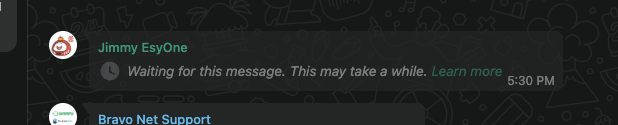
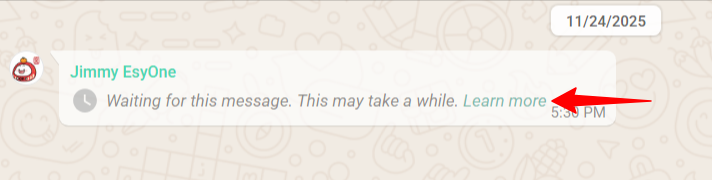
On WhatsApp Web, these messages usually appear in a similar encrypted or restricted format.
Resolution Strategy
The resolution follows a structured flow to ensure consistency and completeness.
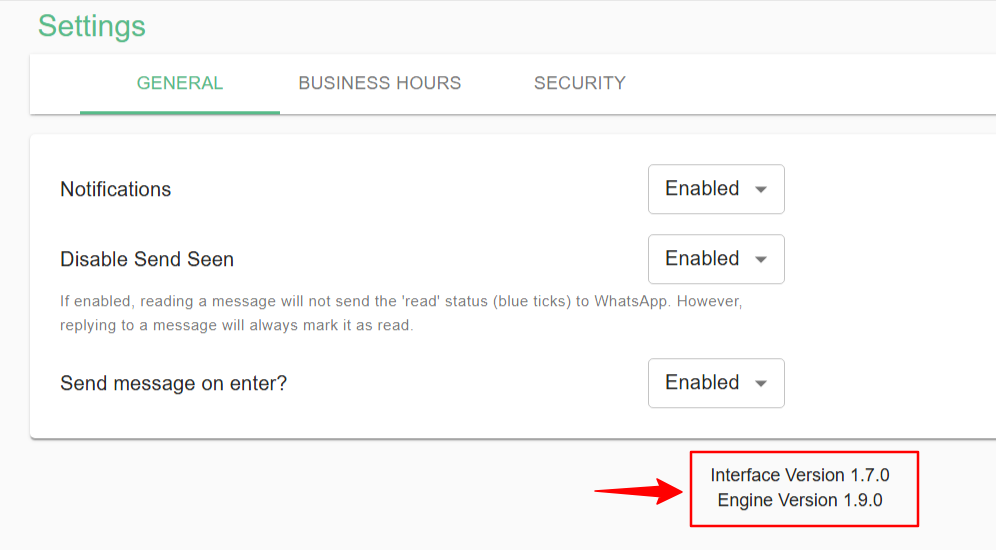
Solutions:1. Version Verification (Mandatory)
Ensure the client’s WaaPY instance is updated torunning the latest version. Check under Settings: . If it is not the latest version, inform our team to update your instance. Please make sure your version at least 1.7.0minimum required versions:
forInterfaceVersionVersion:and1.7.0 or later- Engine Version: 1.9.0
fororEngine Version.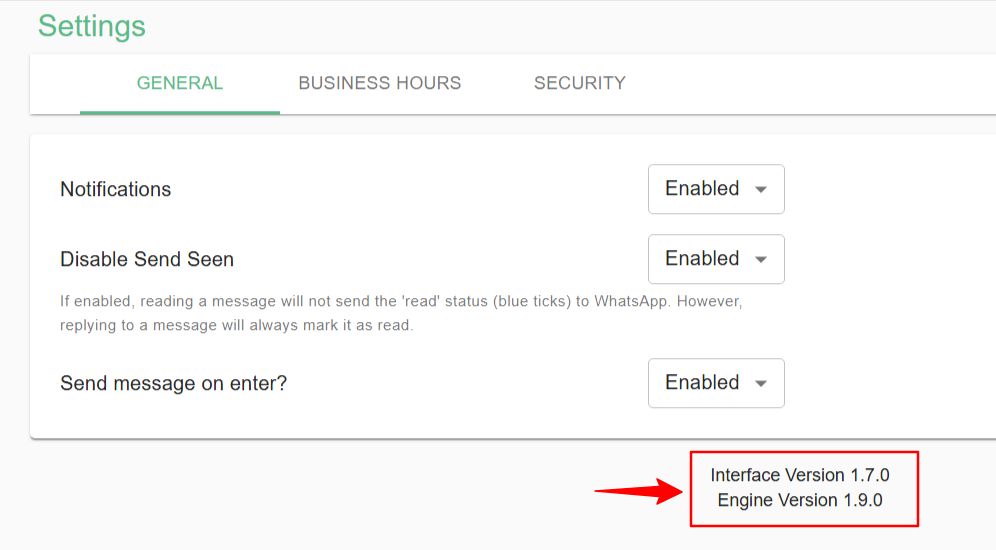
After updating:Steps:
- Go to
ConnectionsSettingsandin WaaPY - Verify the current versions
- If the instance is not on the latest version, inform the internal team to perform an update
Updates must be completed before proceeding with any other steps.
2. Connection Reset (Post-Update)
Once the instance is updated:
3. WhatsApp Device Sync Requirement
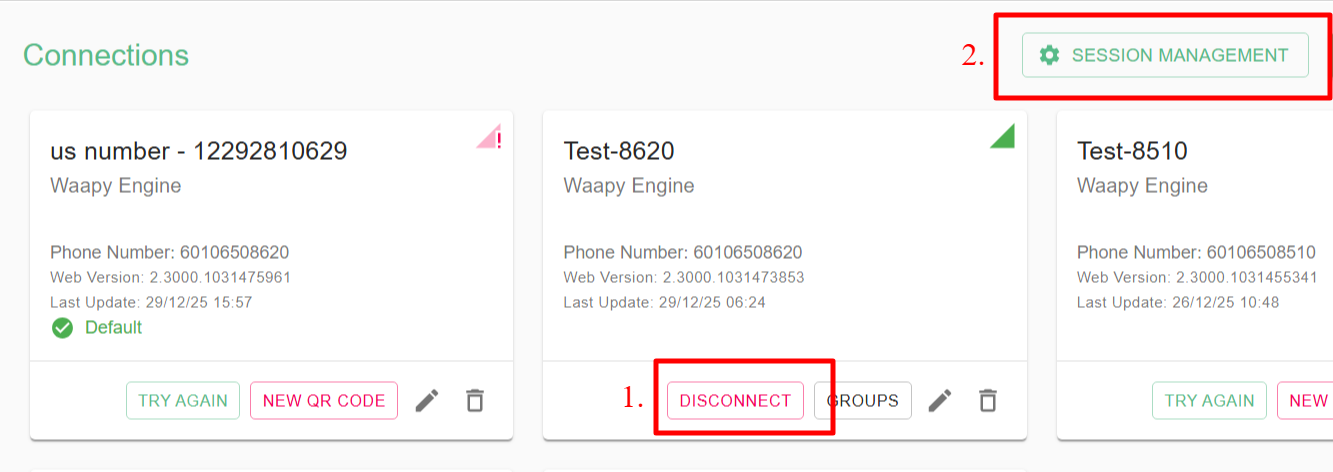
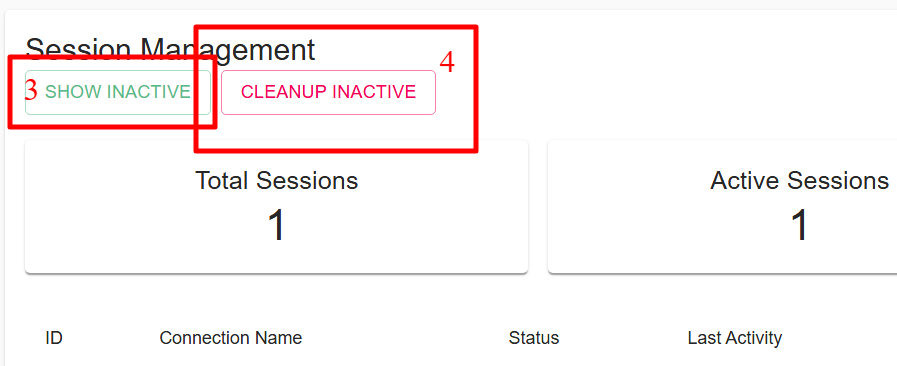
While waiting for WaaPY tois generategenerating a new QR code,code:
- Ensure
make sure yourthe WhatsApp mobile app is turned on and active. - This is
necessaryrequired forsyncingmessagemessages.re-synchronization and encryption key exchange
4. WhatsApp Web Verification
Also, checkCheck WhatsApp Web to identify the specific message causing the ciphertext issuein WaaPY.Messages that appeardifferentlydifferent fromtheknown ciphertext examplesbelowmay still be able to sync into WaaPY
This step helps determine whether the issue is message-specific or session-related.
Message Resync Guidelines
Personal Chats
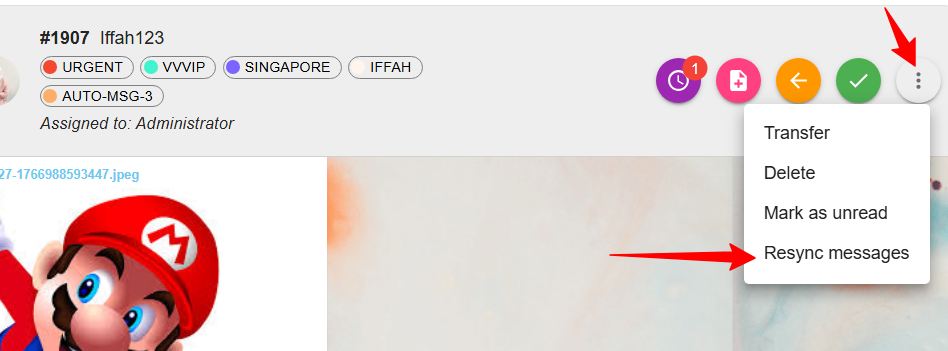
- Click the three-dot menu in
WaaPY.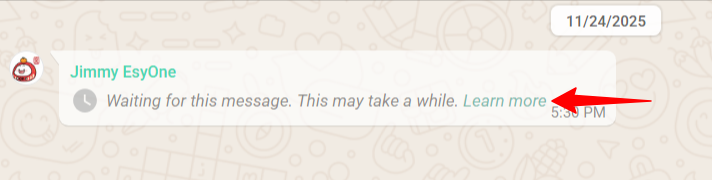
On WaaPY, to resyncpersonal messages, clickthethree dots and selectchat - Select Resync Messages
. - You can resync messages from
theuppast 7 days.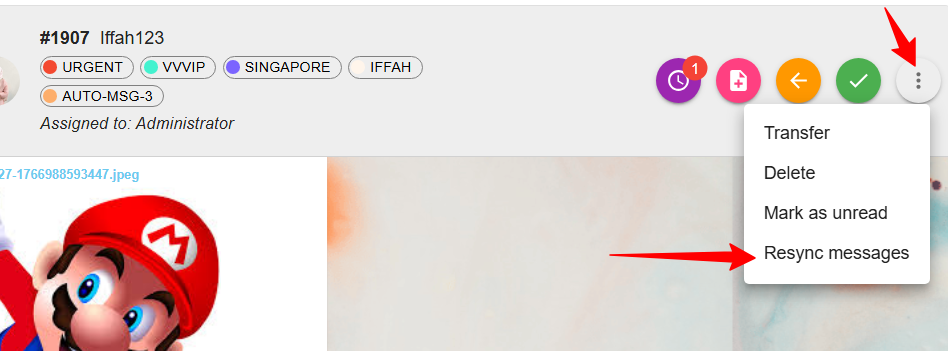
Fortogroup7chatsdays,youback
Group can resync messages by goingChats
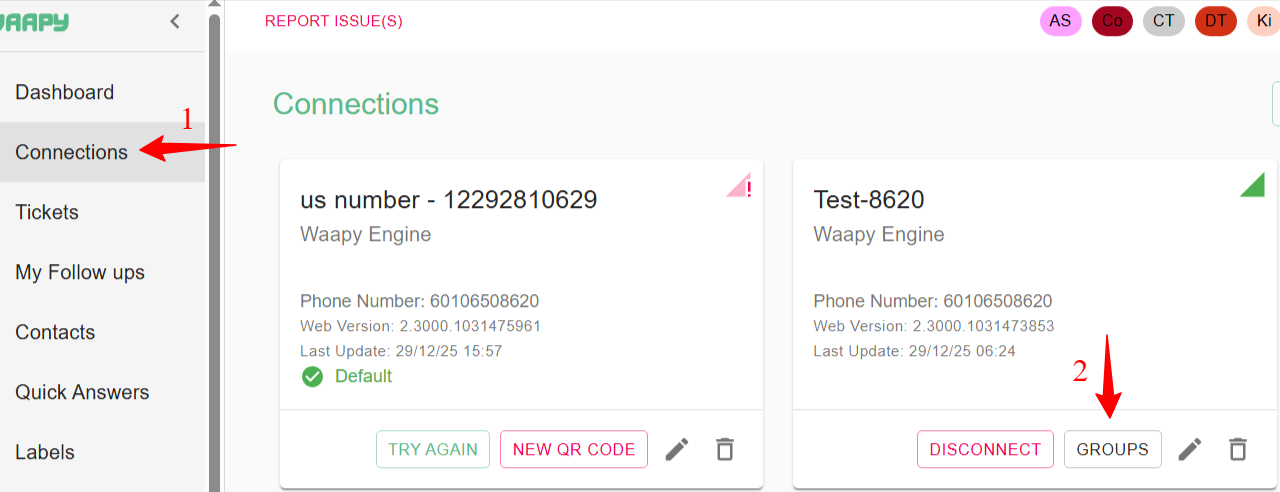
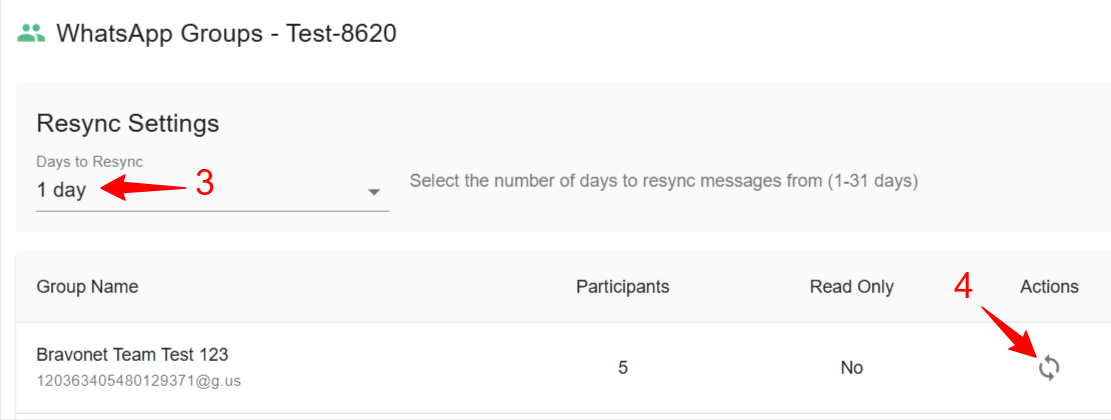
- Go to Connections
, then clickingClick on Groups.SelectYouacanresyncselectrange of up to 31 daysto resync.
Key Notes
- Ciphertext issues are not always system bugs; many are caused by WhatsApp-side encryption changes
- Updating and reconnecting the session resolves most cases
- Always verify behavior on WhatsApp Web as part of diagnosis
Summary
This document defines the standard operating procedure for handling ciphertext issues in WaaPY. The focus is on:
- Version consistency
- Session hygiene
- Controlled reconnection
- Clear separation between WhatsApp-side and WaaPY-side behavior
Following this flow ensures predictable resolution and minimizes message loss.
A
Info: Ciphertext can occur for several reasons. One common cause is a recent WhatsApp update. It can also occur with end-to-end encrypted messages, which prevent WaaPY from directly capturing the content. On WhatsApp Web, these messages usually appear like this: