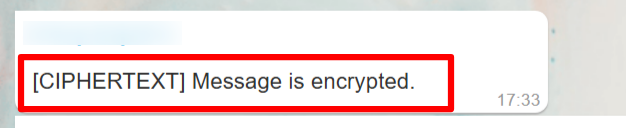
[CIPHERTEXT] Message Displayed in WaaPY
Issue: Messages in WaaPY appear as “[CIPHERTEXT] Message is encrypted.”
Solutions:
Ensure WaaPY is updated to the latest version. Check under Settings: . If it is not the latest version, inform our team to update your instance. Please make sure your version at least 1.7.0 for Interface Version and 1.9.0 for Engine Version. 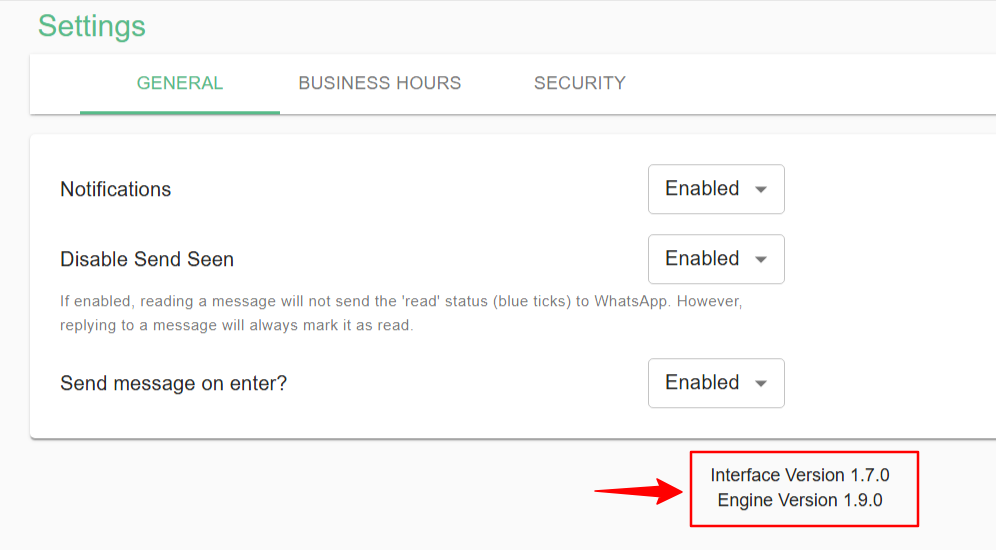
After updating:
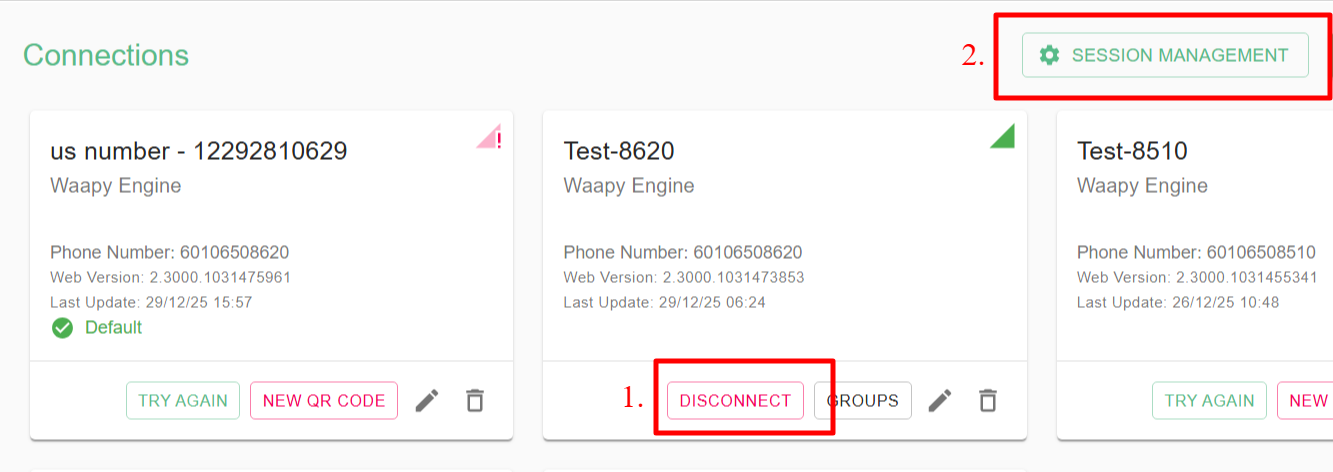
- Go to Connections and disconnect the connection facing the ciphertext issue.
- Navigate to Session Management and clean up inactive sessions.
- Reconnect the connection.
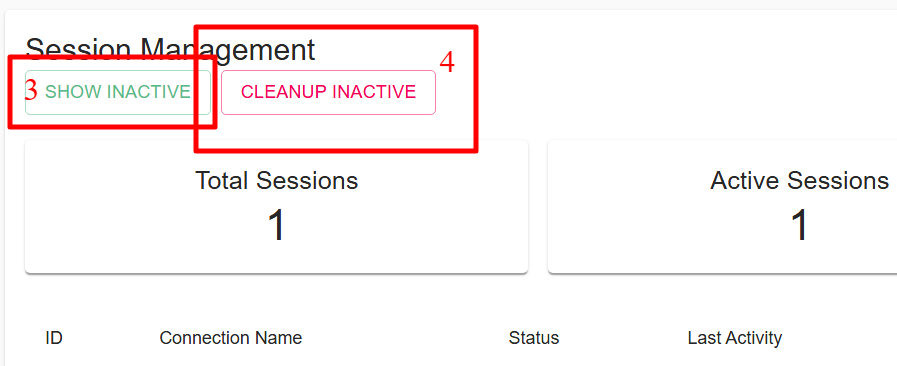
While waiting for WaaPY to generate a new QR code, make sure your WhatsApp mobile app is turned on. This is necessary for syncing messages.
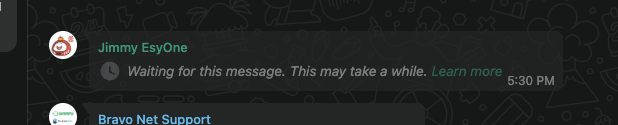
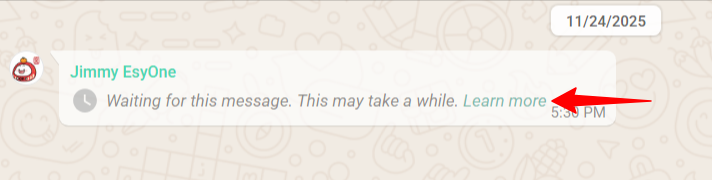
Also, check WhatsApp Web to identify the specific message causing the ciphertext issue in WaaPY. Messages that appear differently from the examples below may still be able to sync in WaaPY.
On WaaPY, to resync personal messages, click the three dots and select Resync Messages. You can resync messages from the past 7 days.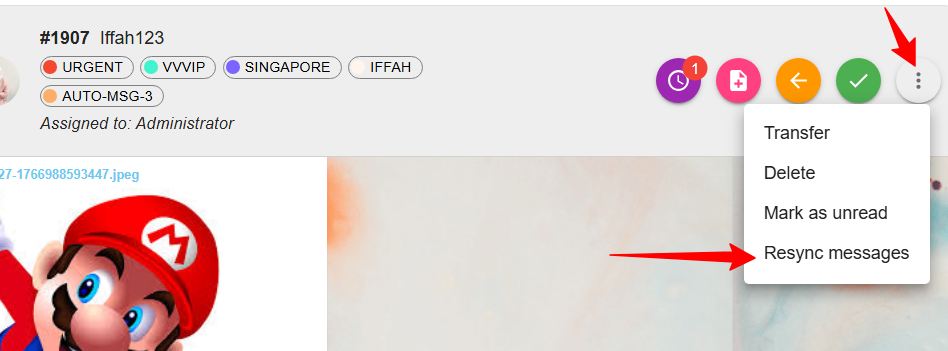
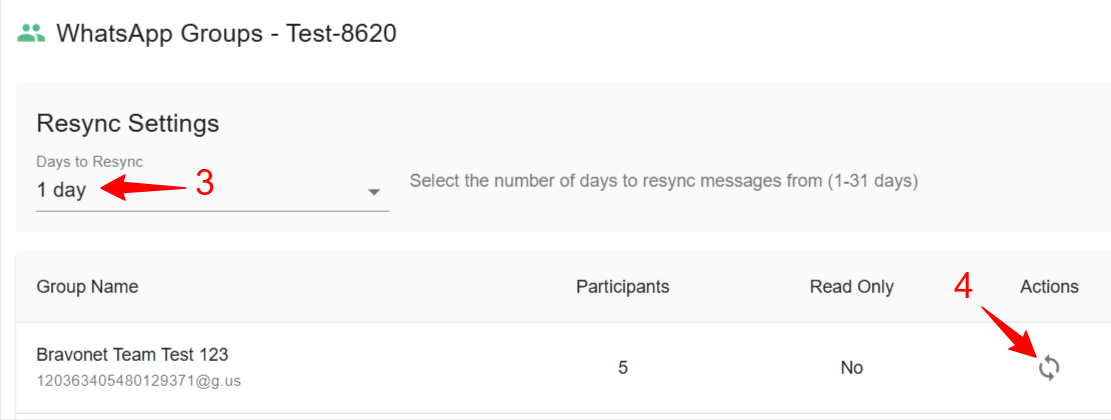
For group chats, you can resync messages by going to Connections, then clicking on Groups. You can select up to 31 days to resync.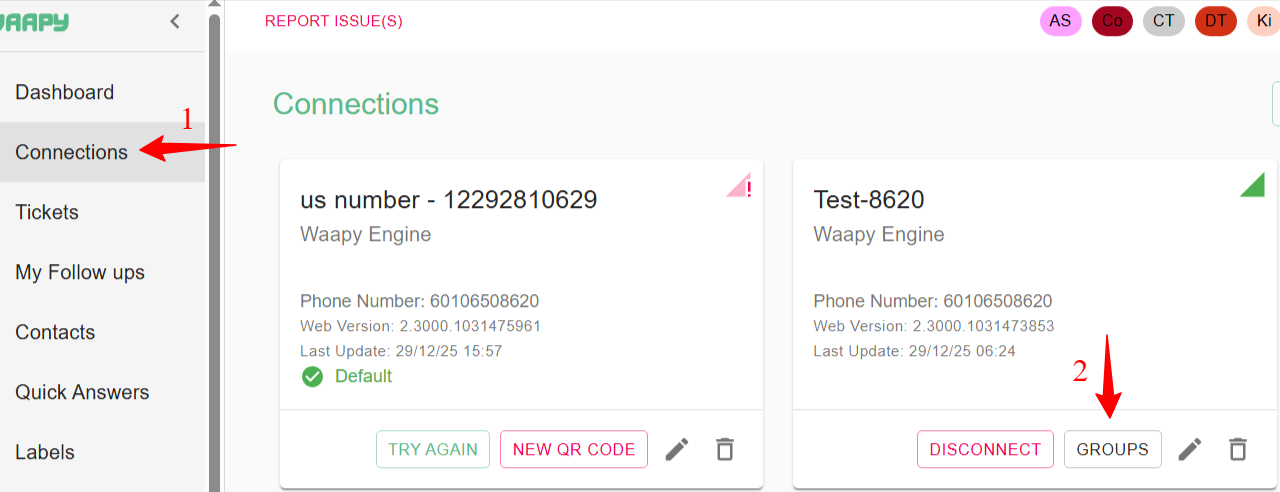
Info: Ciphertext can occur for several reasons. One common cause is a recent WhatsApp update. It can also occur with end-to-end encrypted messages, which prevent WaaPY from directly capturing the content. On WhatsApp Web, these messages usually appear like this: