6. Reports
This is the Report page for your outreach
1. You can filter reports by date.

2. You can view information from your outreach, including total messages, total cost, deliverability, and new contacts.

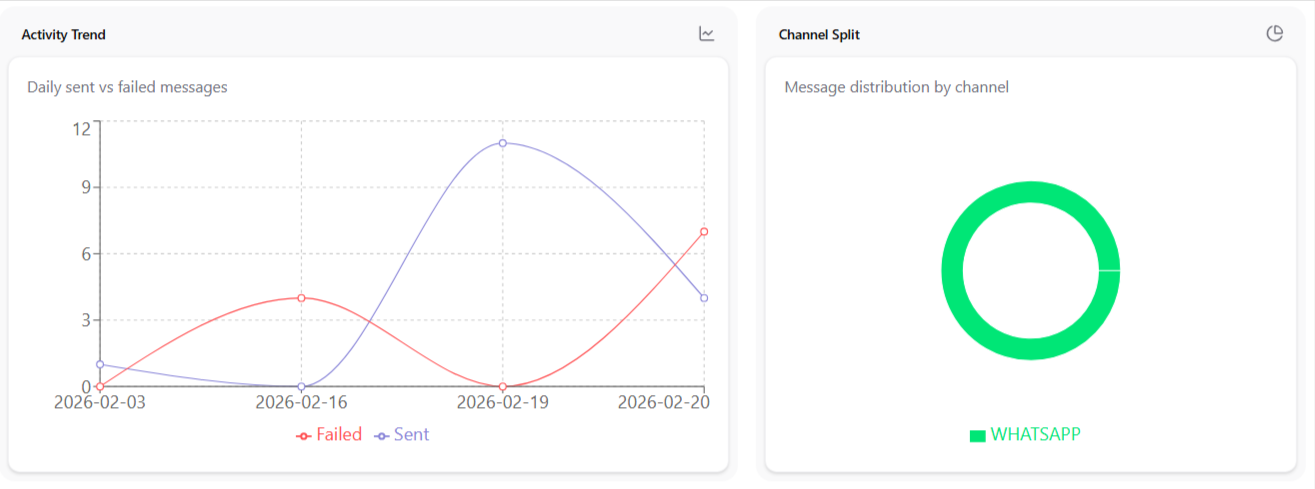
3. You can check graphs showing sent and failed blast messages, as well as graphs from WhatsApp.
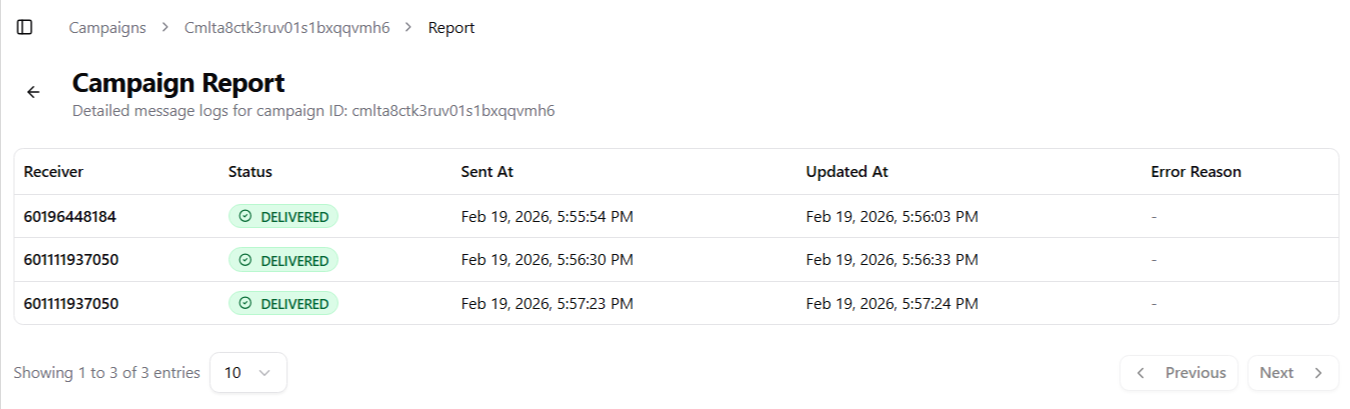
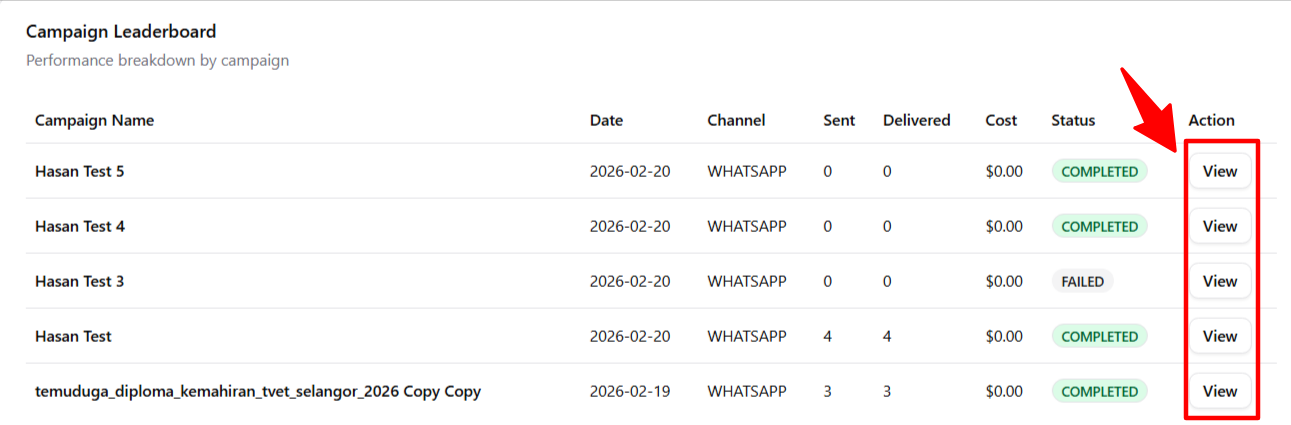
4. You can see a list of campaign reports and view detailed information by tapping the View button.
5. You are now on the Report Details page.