5. ii) Campaigns
Dynamics Variables
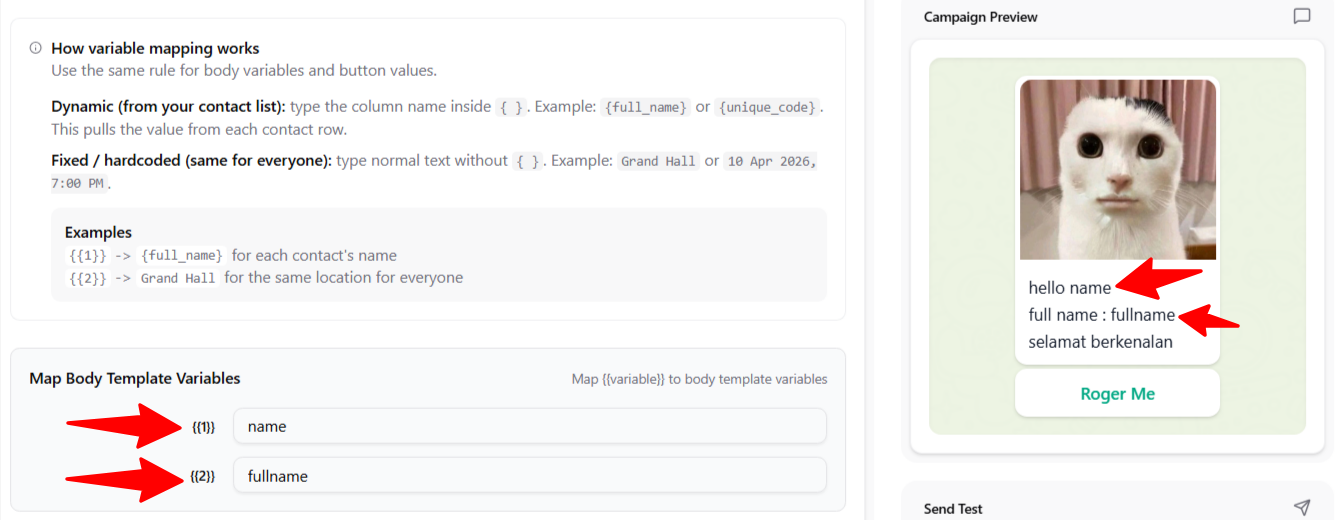
- These are dynamic variables. If you place {{1}} in your template, you can define what to insert when creating the campaign. For example, as shown below, I used columns from the contact list such as “name” and “fullname” (custom field).
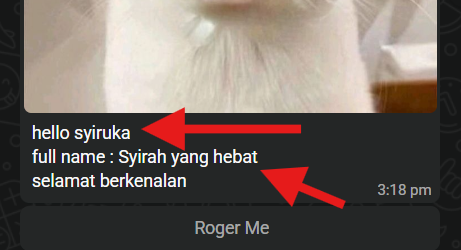
- This is an example of a campaign message I received on WhatsApp. It displays the name and full name based on what was set for my number.
- You can also set variables for the button URL. For example, if you want the button URL to navigate to a specific page, you can adjust it in the button variables.

Cost Saving Mode
- When this option is enabled, we first attempt to send a non-template message. If WhatsApp requires a template, we then use the selected template instead. This approach helps reduce costs whenever non-template messages are permitted.

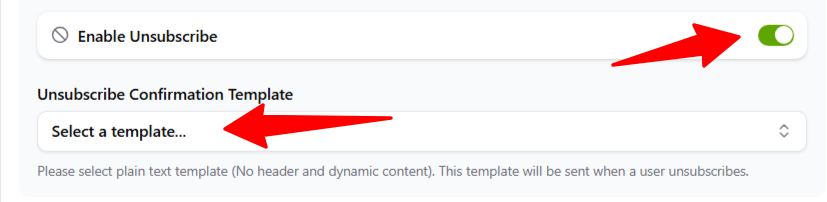
Enabled Unsubscribe
- This option is optional, but it helps prevent your number from being reported. If a recipient unsubscribes from your campaign, they won’t receive any future campaigns you create.
- For this option, you’ll need a specific template for unsubscribing, but don’t worry, you can create it just like any other template.