5. Campaigns
How to Create a Campaign in Outreach ?
Step 1 :
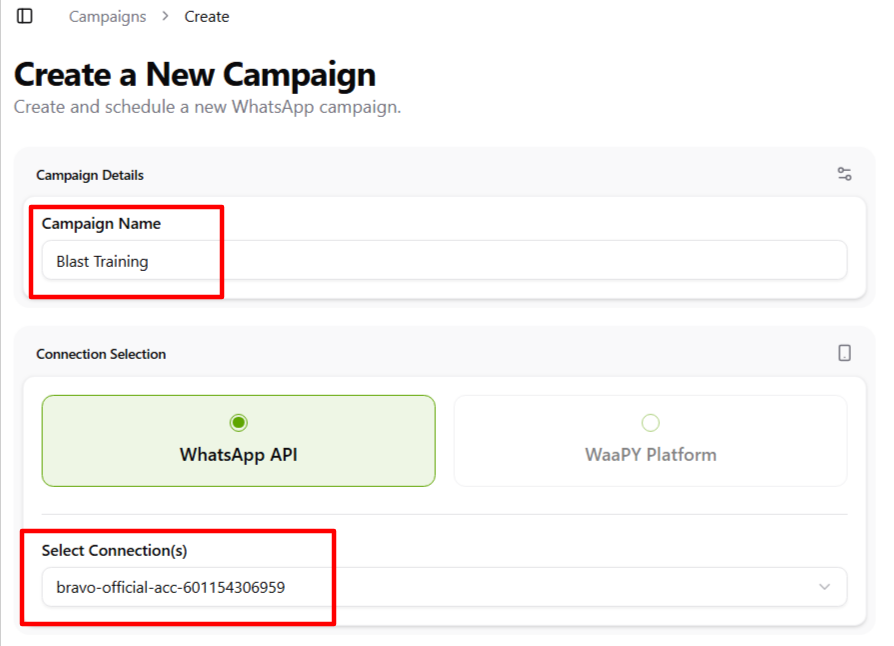
- First, set a name for your campaign ( we suggest to create campaign name same like contact list name ).
- Choose an available/active connection.
Step 2 :
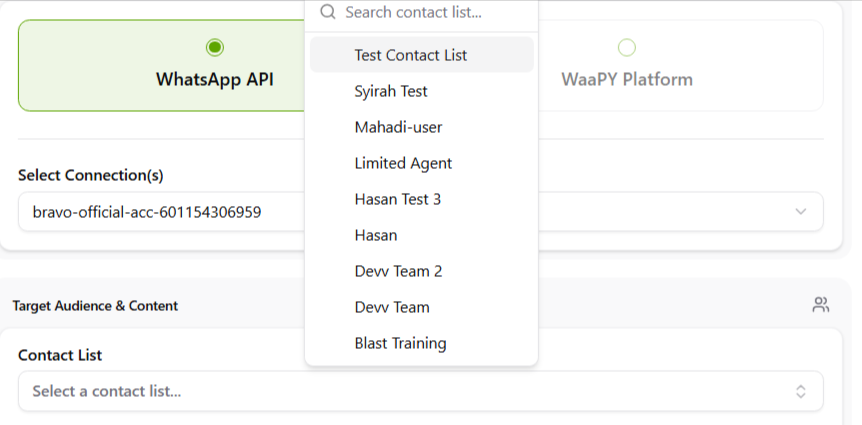
Select the contact list you created for sending blast messages (you can refer to the Contact List page to see how to create one).
Step 3 :
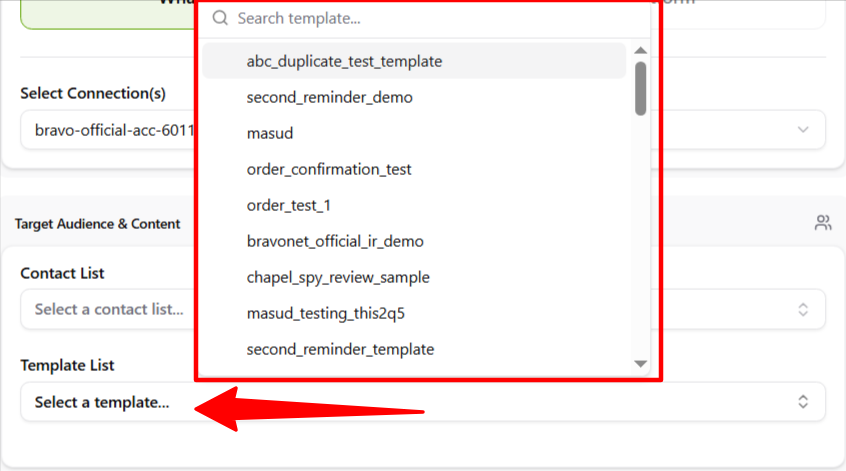
Choose a template that has been approved by Meta for blasting.
Step 4 :
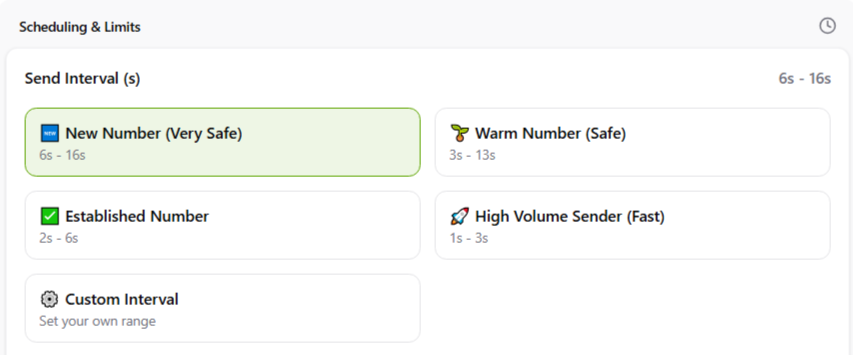
Set the interval range between sending messages to each number (from the first to the second, and so on).
Step 5 :
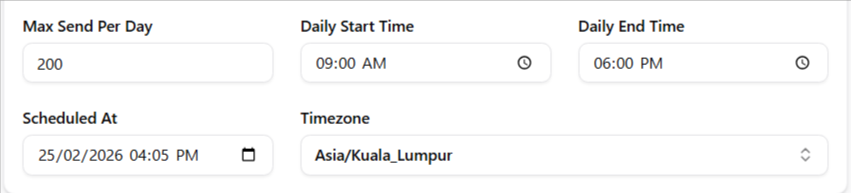
- Set the maximum messages per day for the campaign.
- Schedule when to start sending blast messages (it is recommended to set the schedule within your daily start and end time).
- Set the start and end period for the campaign, and select the timezone (by default, it shows Kuala Lumpur time).
Step 6 :
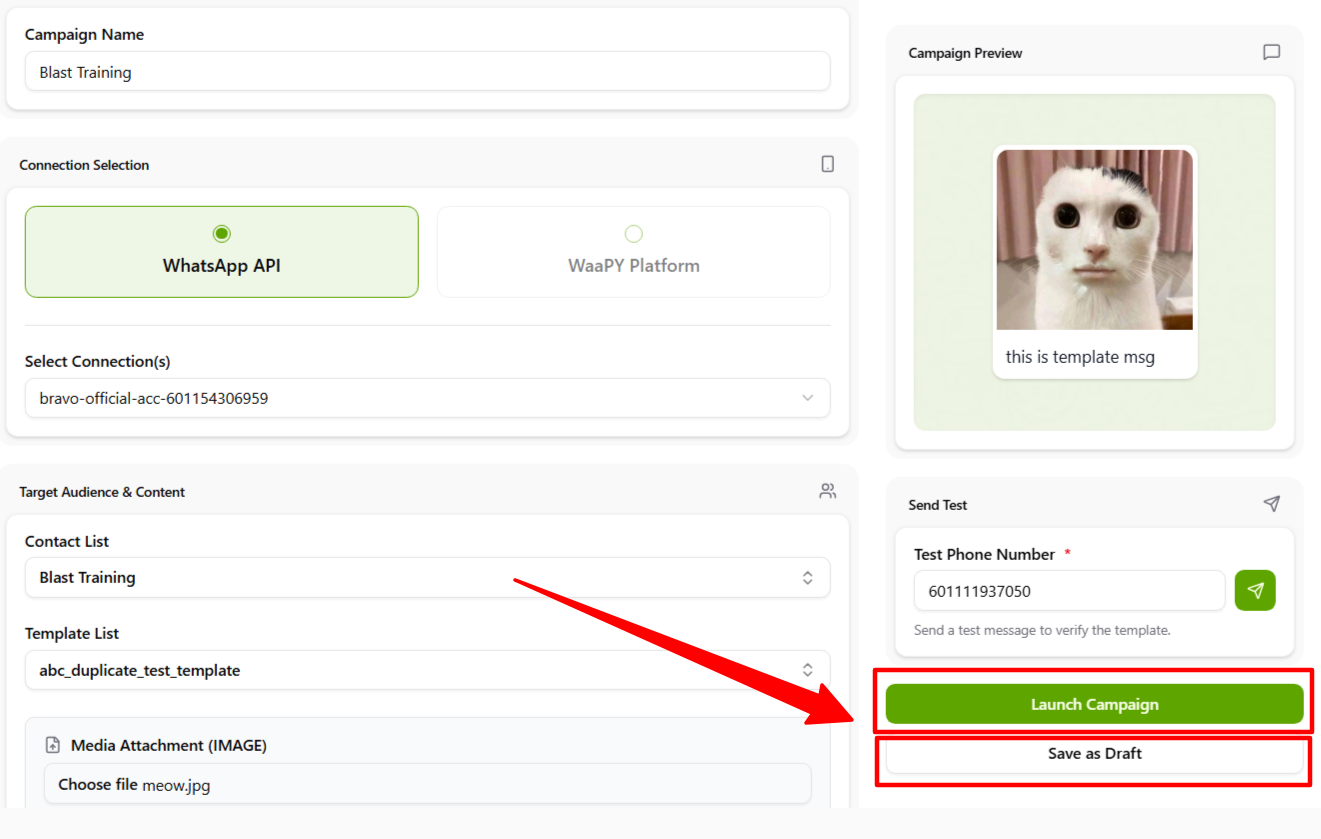
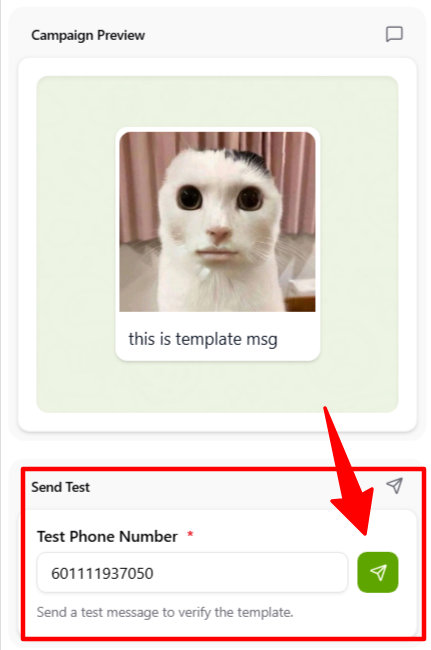
- Preview your template using the Campaign Preview feature.
- You can test-send the campaign to your number or a chosen test number by clicking the jet icon.
Step 7 :
Once all fields are completed:- Click Draft to save the campaign if you are not yet ready to launch.
- Click Launch Campaign if you are confident and ready.
- The campaign will then be sent according to the scheduled time.