3. Business Portfolio Info
Important:
This step should be completed before proceeding to the next step, as it ensures your business details are properly filled in within the business portfolio.
Steps
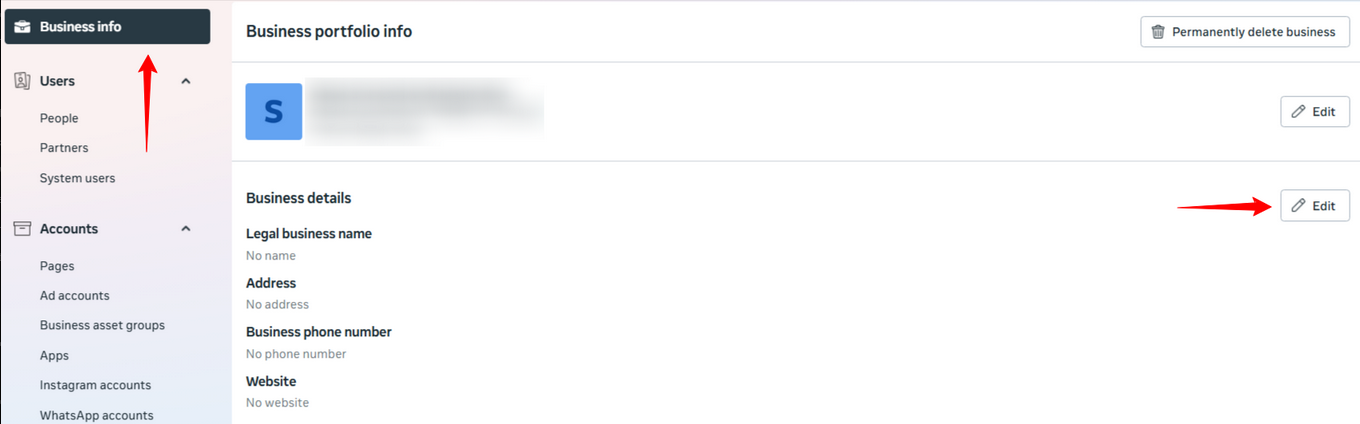
- Go to Business info. The Business Portfolio Info page will be displayed.
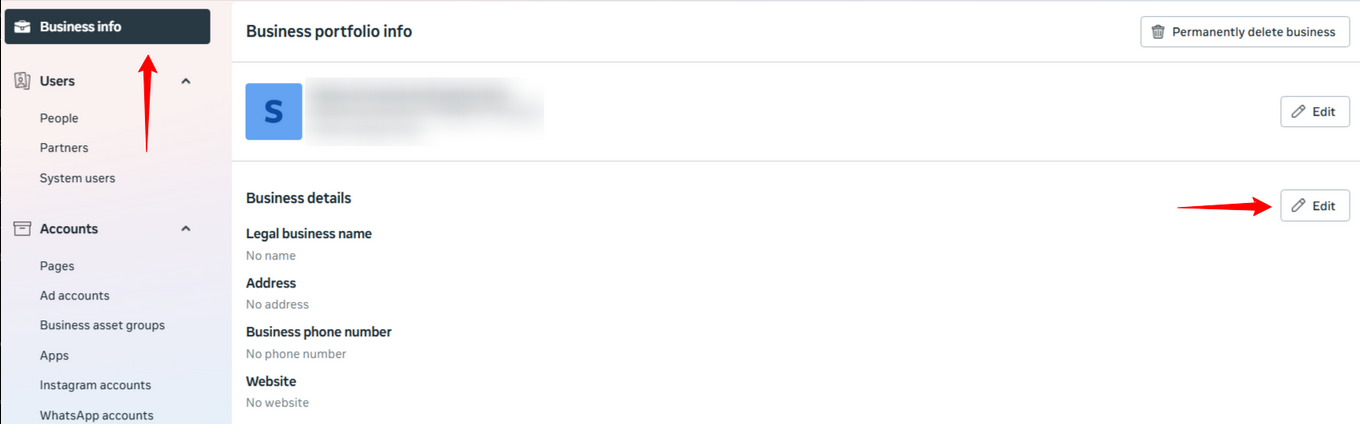
- Under Business details, click Edit.
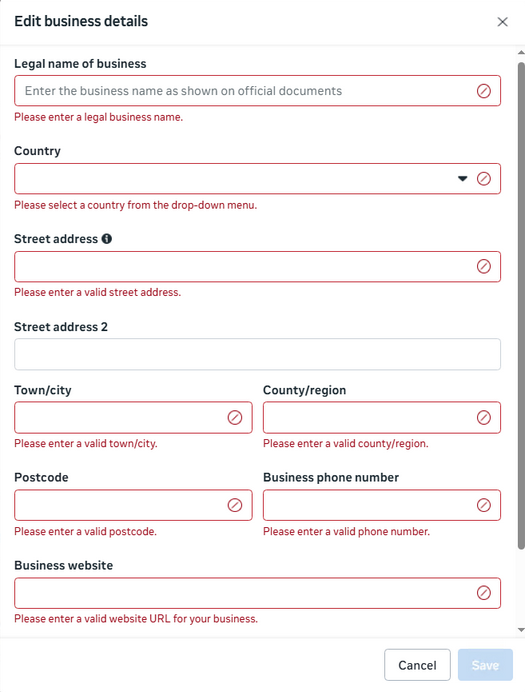
- A pop-up form will be displayed.
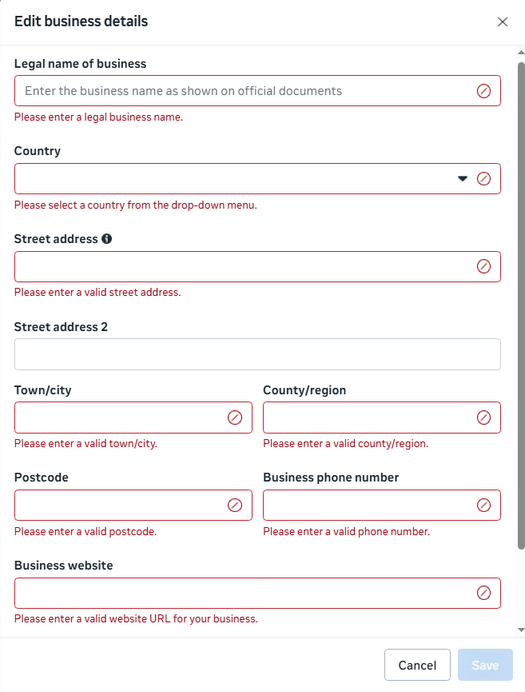
- Fill in all fields according to your business details.
- Click Save.