
2.1 Invite People to a Business Portfolio
You can invite people to join your business portfolio and assign them assets to work on.
Before you begin
- You must have full control of the business portfolio to add people and assign business assets.
- Assign only the access level needed for each person to complete their work.
By default, people are given basic access when added. - Business portfolio permissions override all other permissions.
- Consider enabling two-factor authentication (2FA) to help protect the business portfolio and assets from unauthorised access.
Add People to a Business Portfolio and Assign Assets
To add people and assign business assets:
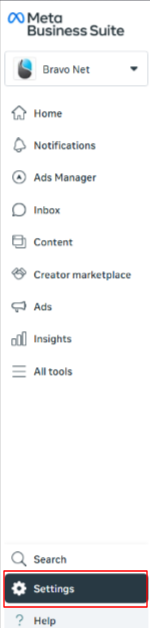
- Go to Settings in Meta Business Suite for your business portfolio.
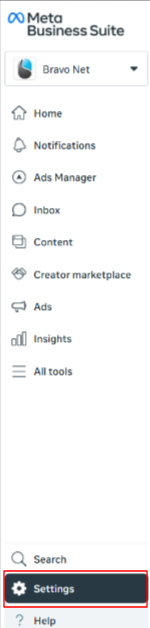
- Click People in the left menu.
- If People is not visible, you may not have full control of the business portfolio.

- If People is not visible, you may not have full control of the business portfolio.
- Click Invite people (top right).
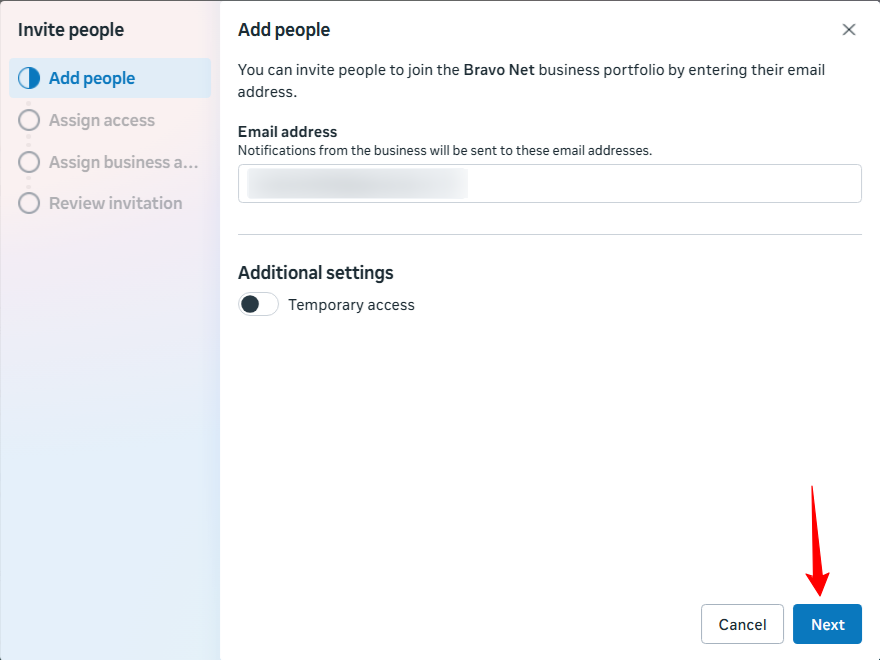
- Enter the person’s email address.
- If inviting via Facebook account, the email must match the email used for their Facebook account.
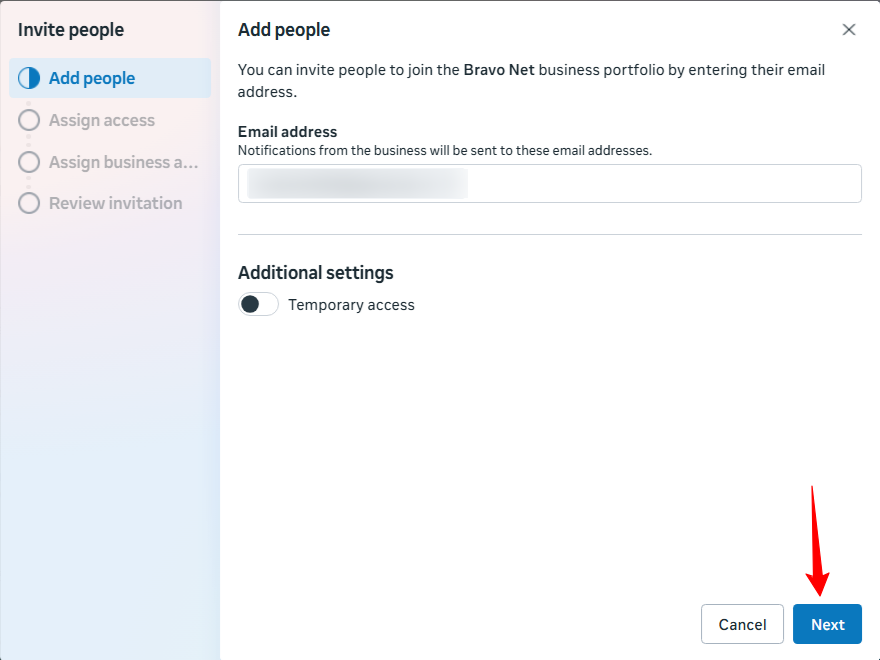
- If inviting via Facebook account, the email must match the email used for their Facebook account.
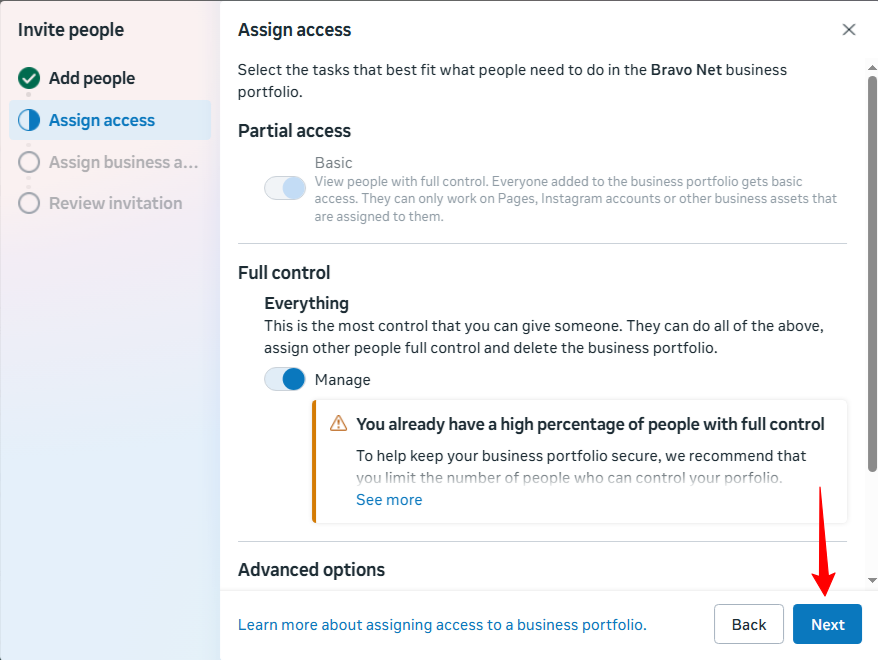
- Toggle Full Control to grant the user most permissions, or toggle Partial Access to restrict their access. Then click Next.
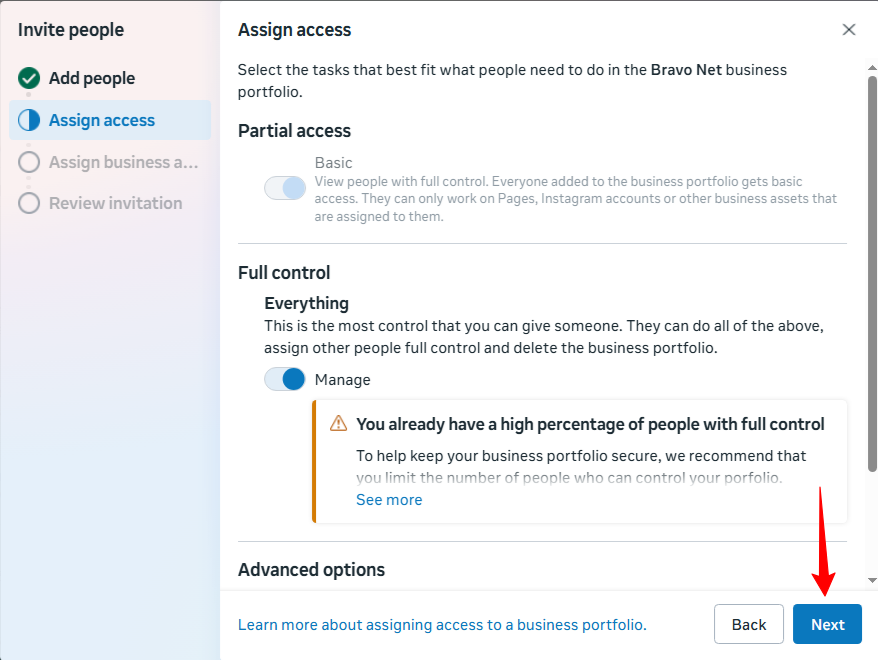
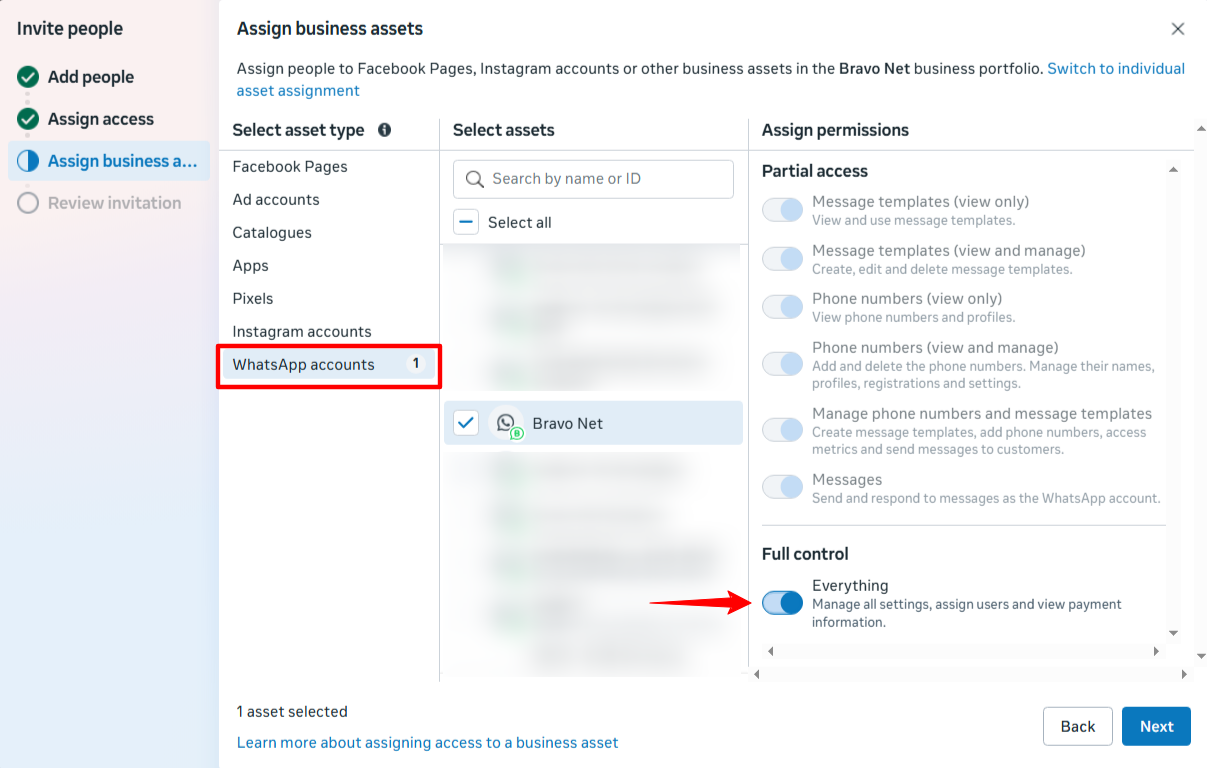
- Select business assets and assign permissions for the person, then click Next.
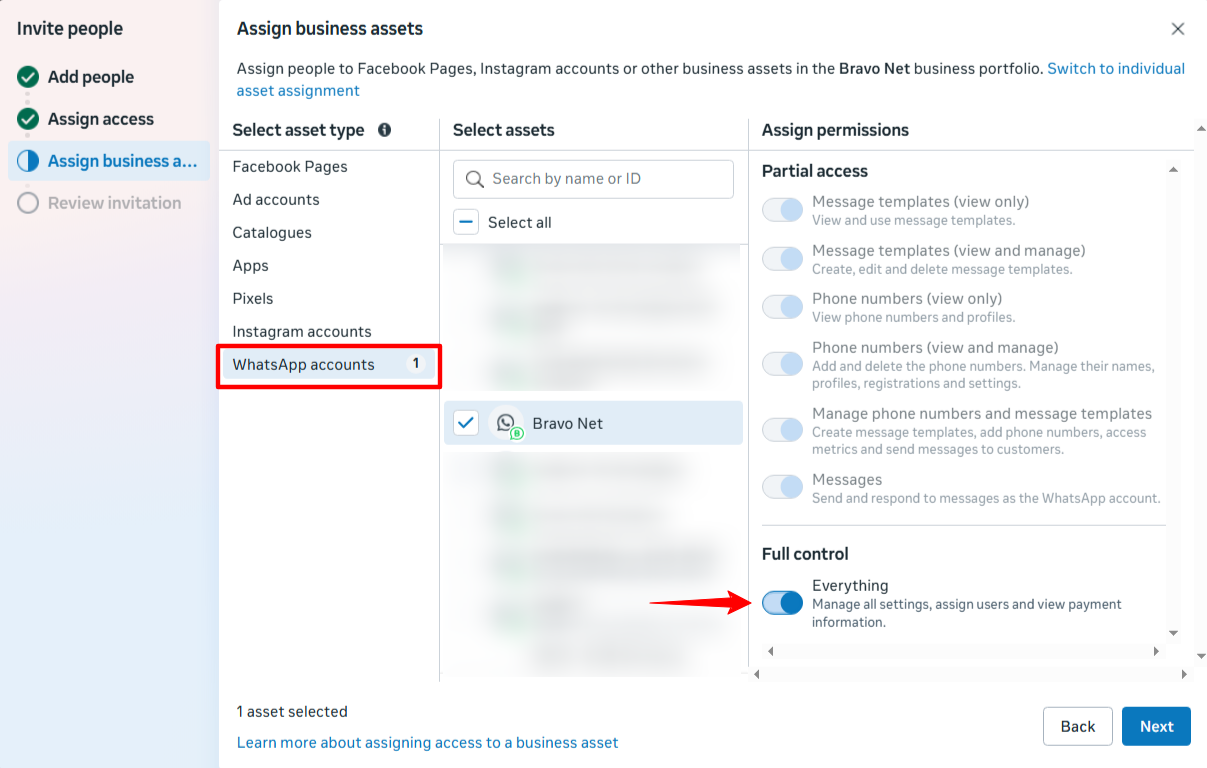
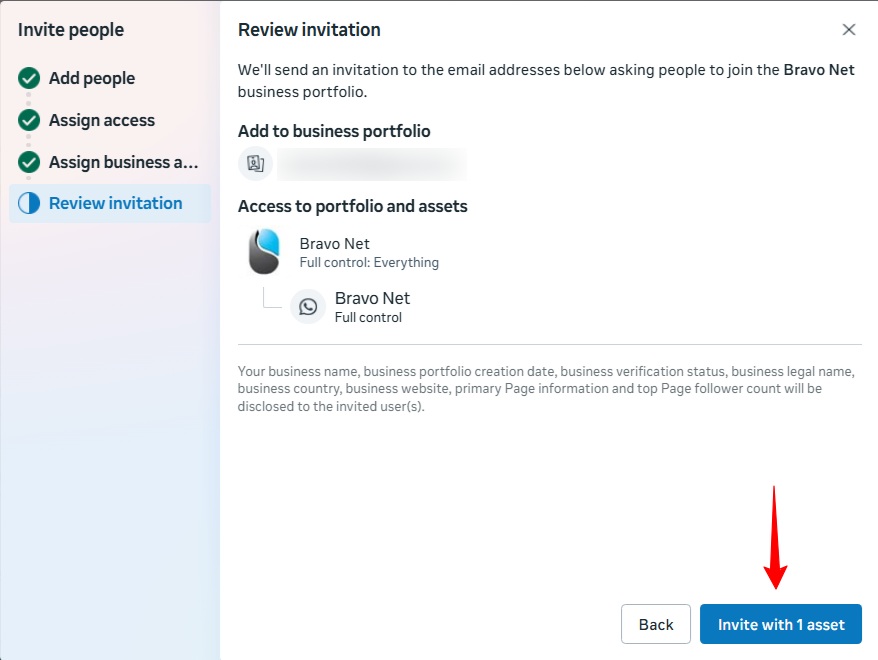
SelectReview the business assets and permissions invitation, then click Invite.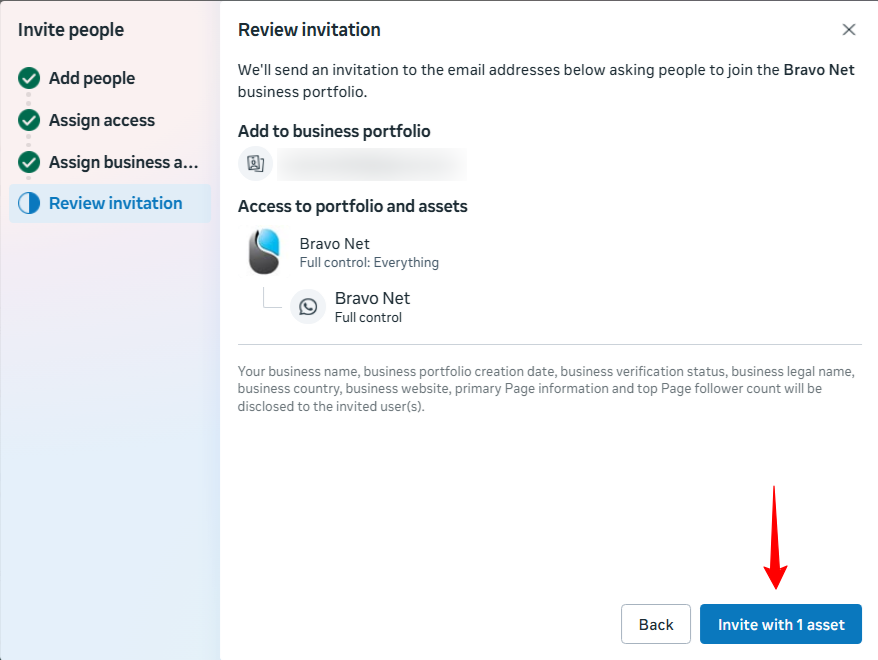

The invited person must accept the invitation. After joining, it may take a few days before all features are available.
Note:
If a partner (for example, an agency) shares a business asset with your organisation, permissions are limited to what the partner assigned. This may prevent granting full control of that asset.